Problem
90% of smart watches are a scale down version of smart phones
Smart watches do not help in timeline and activities tracking apart from showing just time, day and date
Smart watches do not simplify tracking and organizing task by syncing in data from all phone apps
Solution
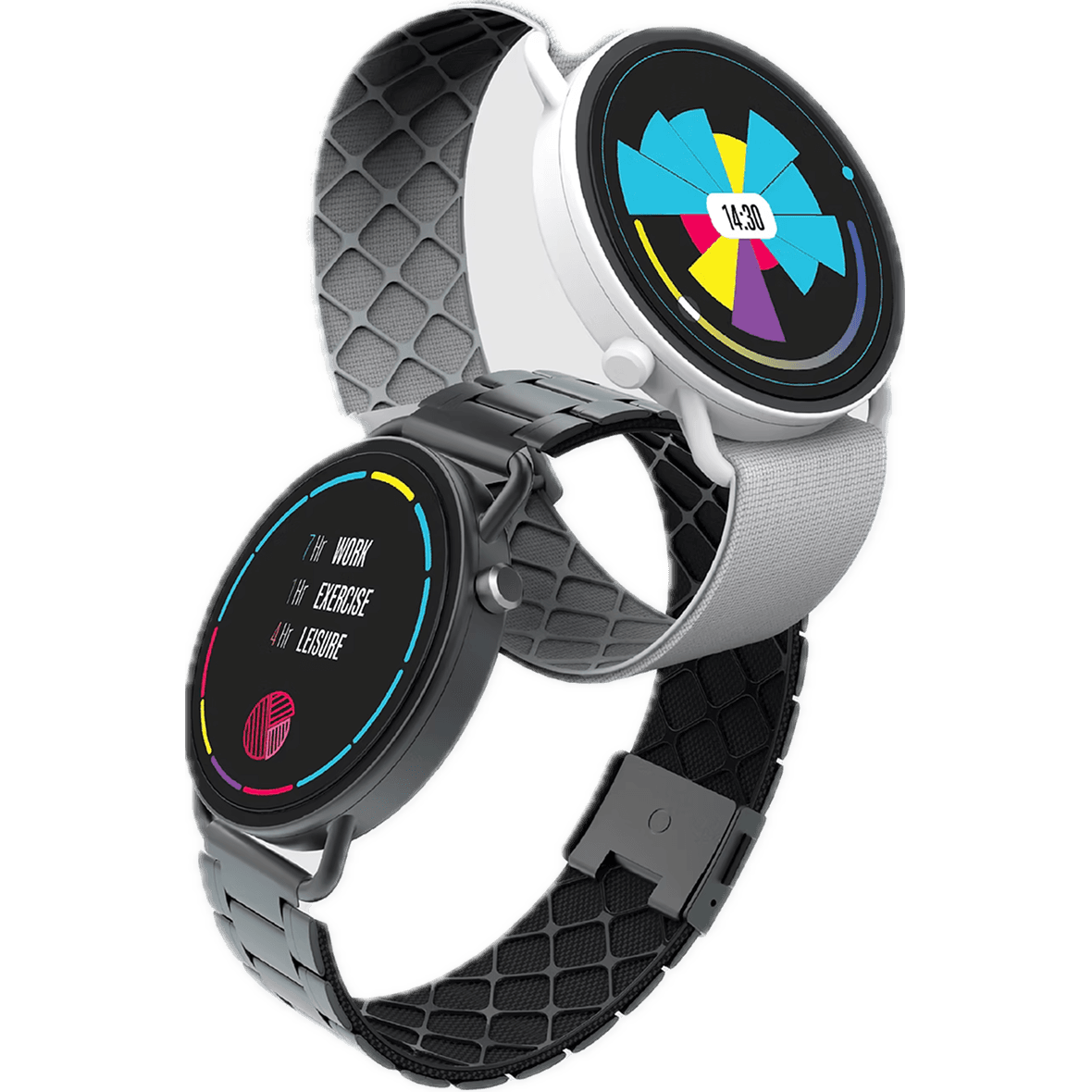
The smart watch concept helps track, organize, manage personal timeline and lets users reflect and learn from their daily timeline tracking habit.
Key features include:
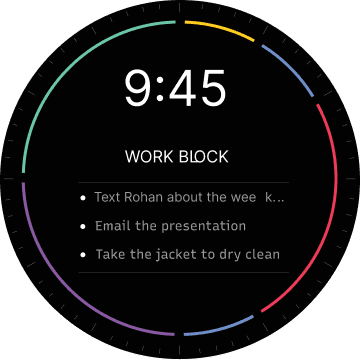
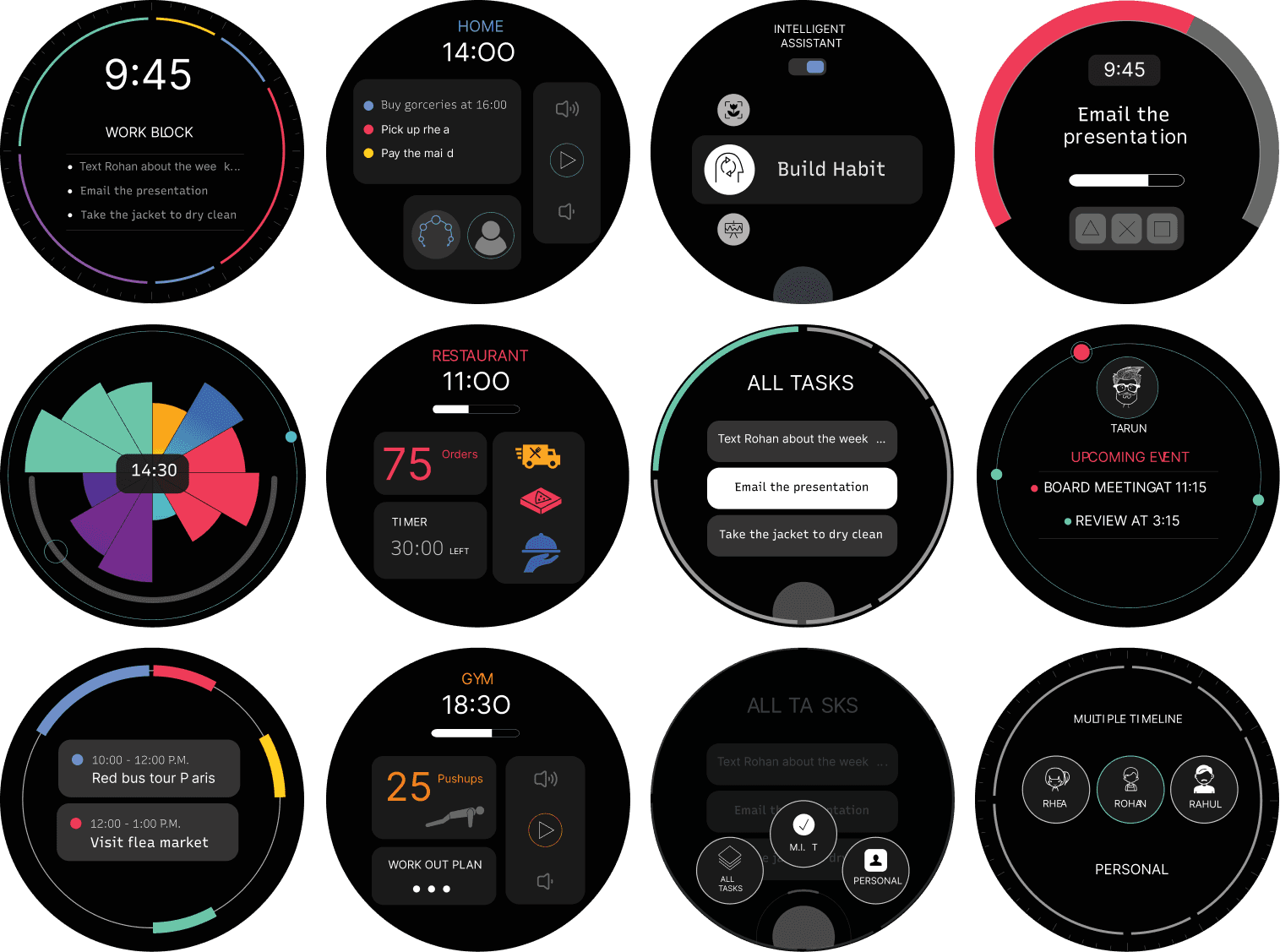
Timeline tracking, Time Blocking, Tasks/To-Dos input, Focus Time Blocking, Intelligent Assistant, Contextual Time tracking, Multiple Timelines management.
Process
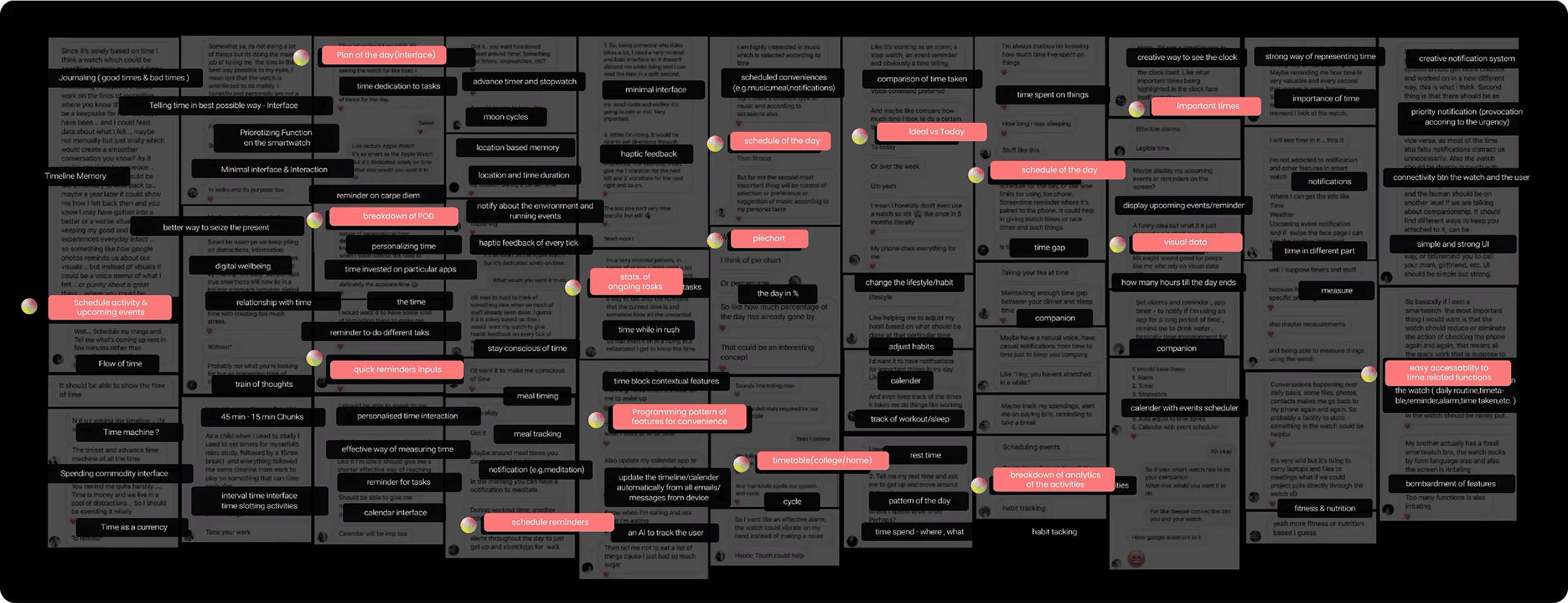
Focus group interview
Interview inferences from chat notes clustered into themes such as schedule activity/reminders (e.g., journaling, haptic feedback), timeline memory (e.g., flow of time, quick reminders), and others (e.g., minimal interfaces, habit tracking).
Key insights included
Scheduling the upcoming day and next events to reduce remembering time-based events.
Prioritizing activities to combat decision fatigue.
Managing digital wellbeing for distraction control.
Smart routines for time blocking and reminders without navigation.
Quantitative Research
Survey data showed
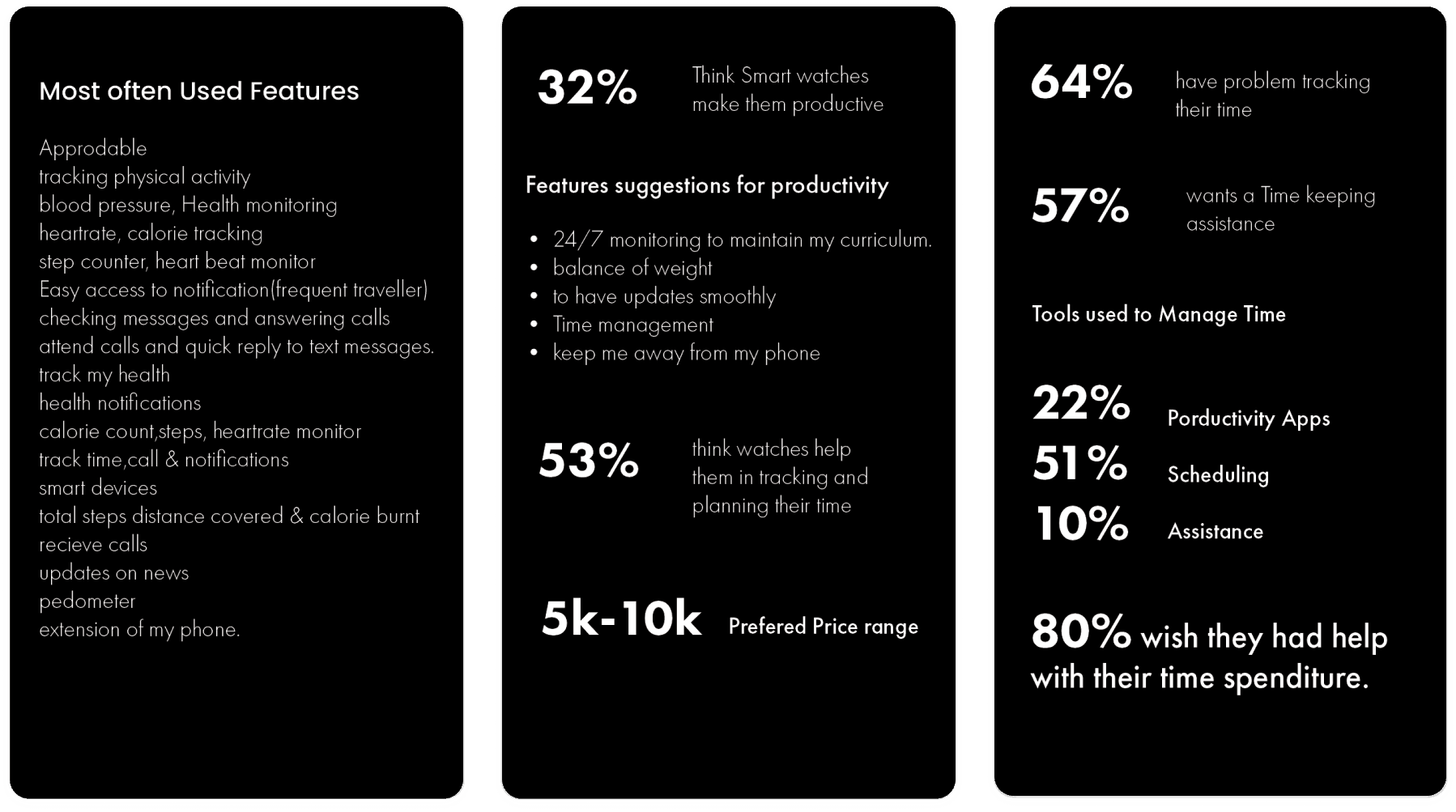
32% believe smartwatches boost productivity (suggestions: 24/7 monitoring, balance weight).
64% have issues tracking time.
57% want timekeeping assistance.
53% think watches aid tracking/planning.
Commonly used features: Physical activity tracking, heart rate monitoring, notifications. Preferred price range: 5k-10k.
User Personas
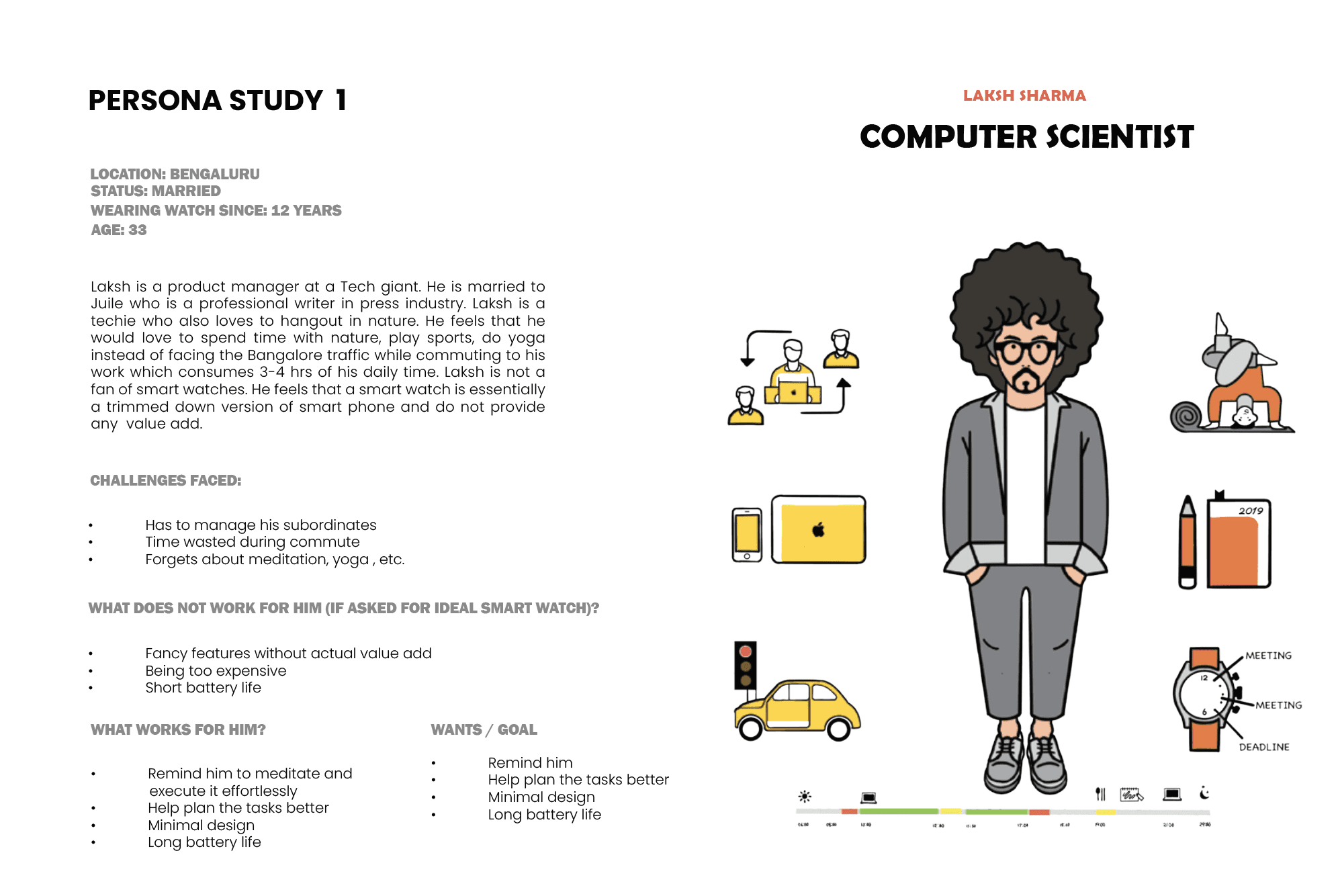
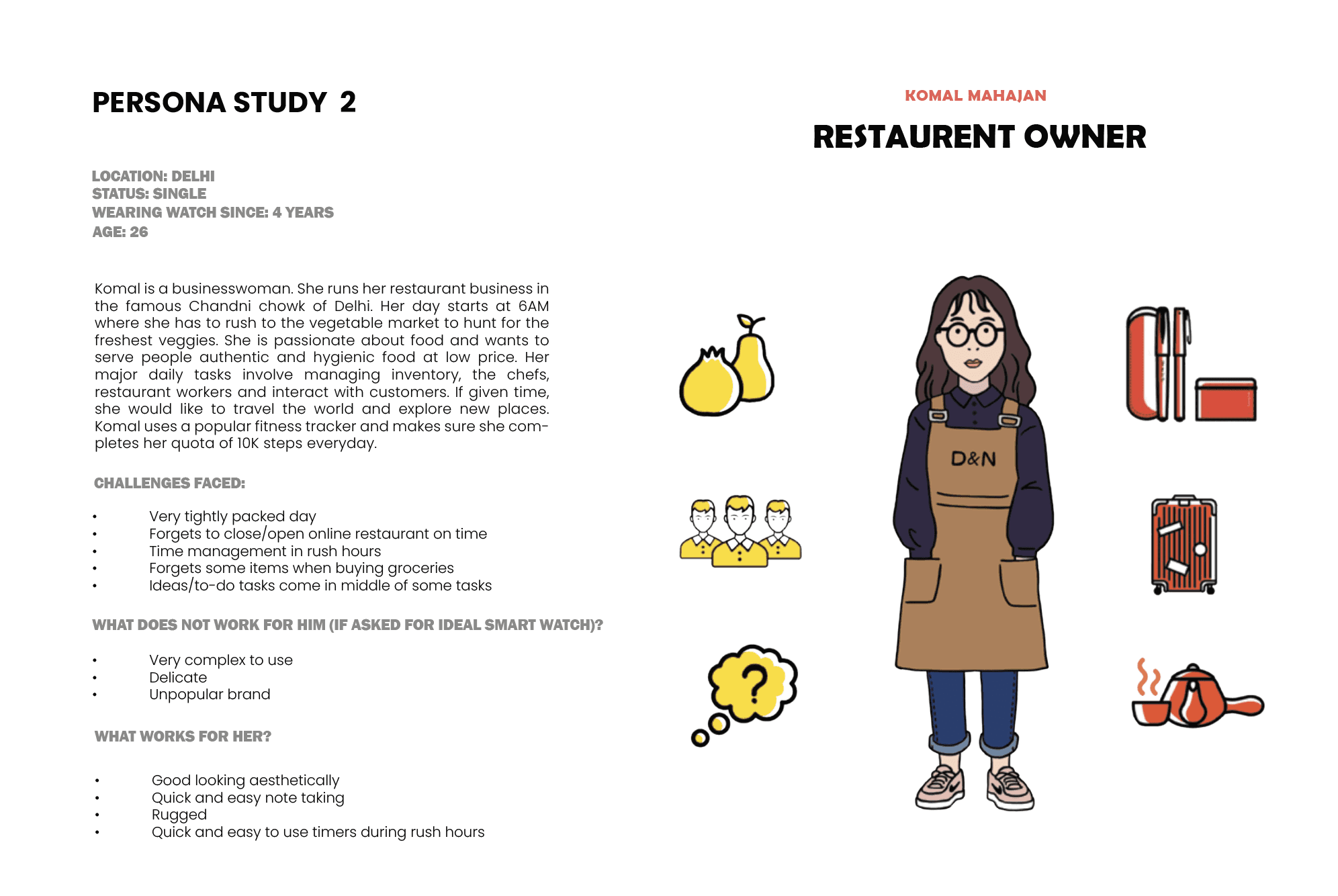
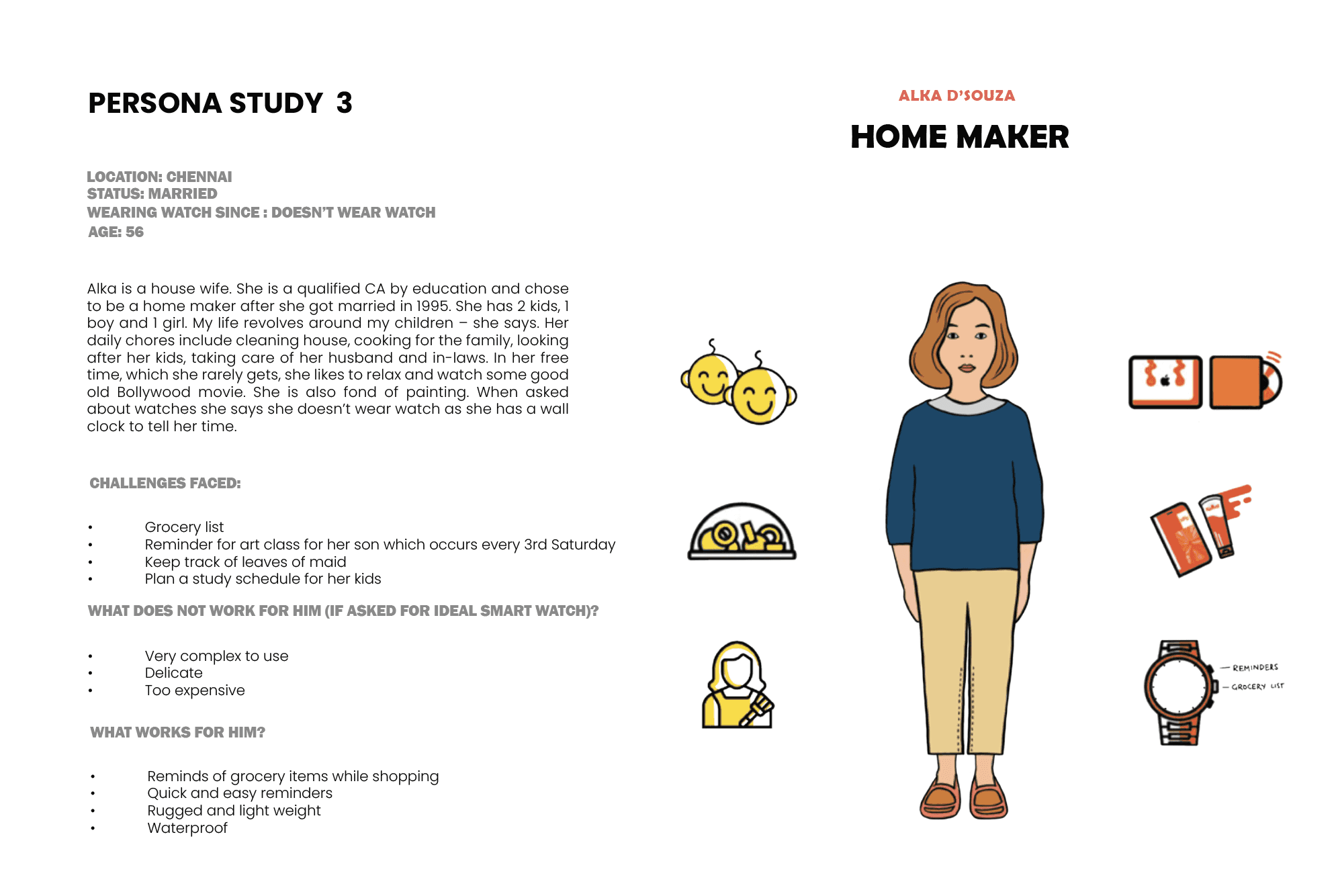
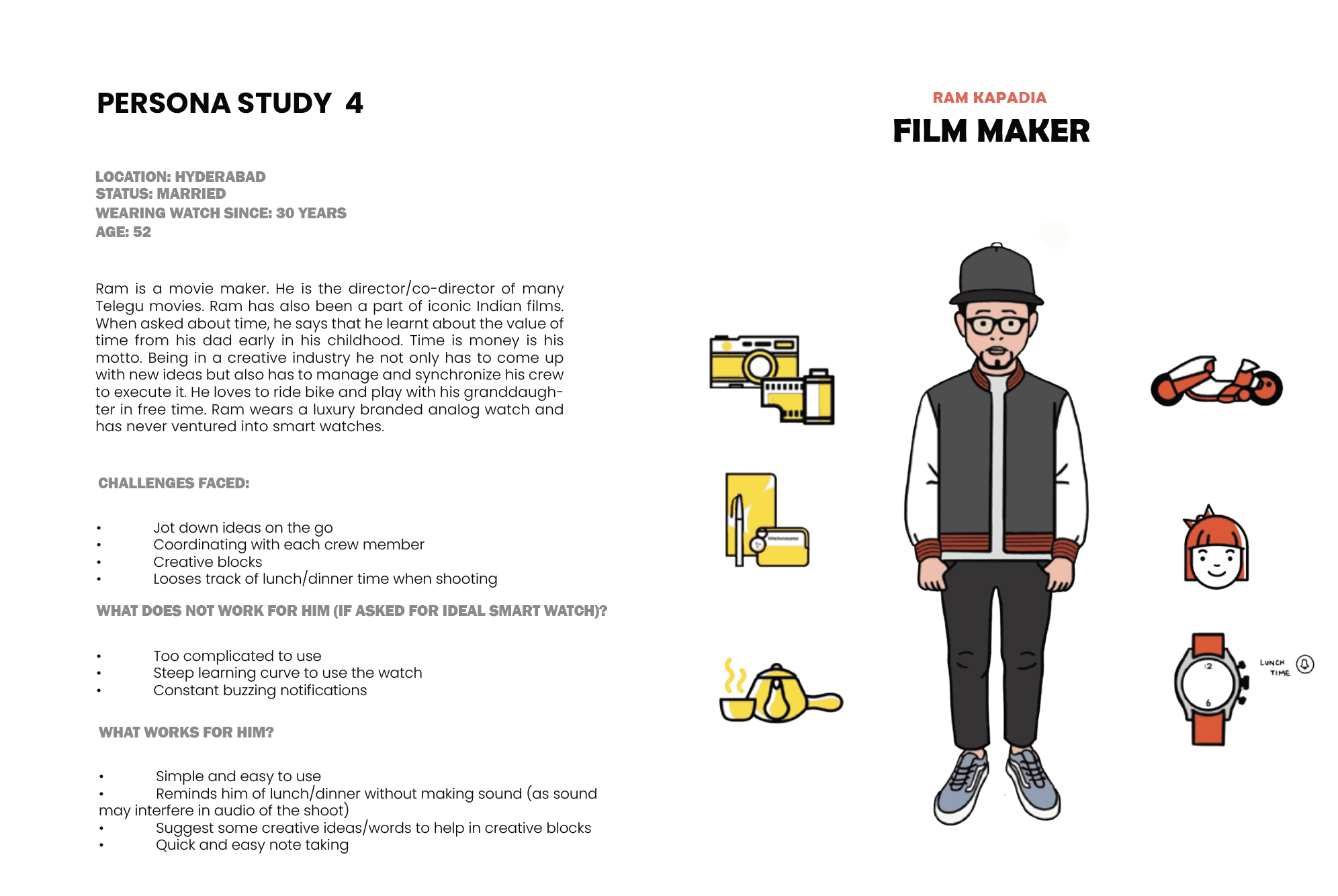
Three personas were developed based on research:
Computer Scientist (Persona 1): Age 28, urban location. Goals: Automate home, learn about smart devices. Pain points: Missing calls, relying on other devices for time. Tools: Car, wallet, watch.
Restaurant Owner (Persona 2): Age 35. Goals: Track supplies, manage staff. Pain points: Forgetting orders, timing breaks. Tools: Pear, notepad.
Film Maker (Persona 4): Age 32. Goals: Edit on the go, track shooting time. Pain points: Missing deadlines, sound checks. Tools: Camera, watch, drone.
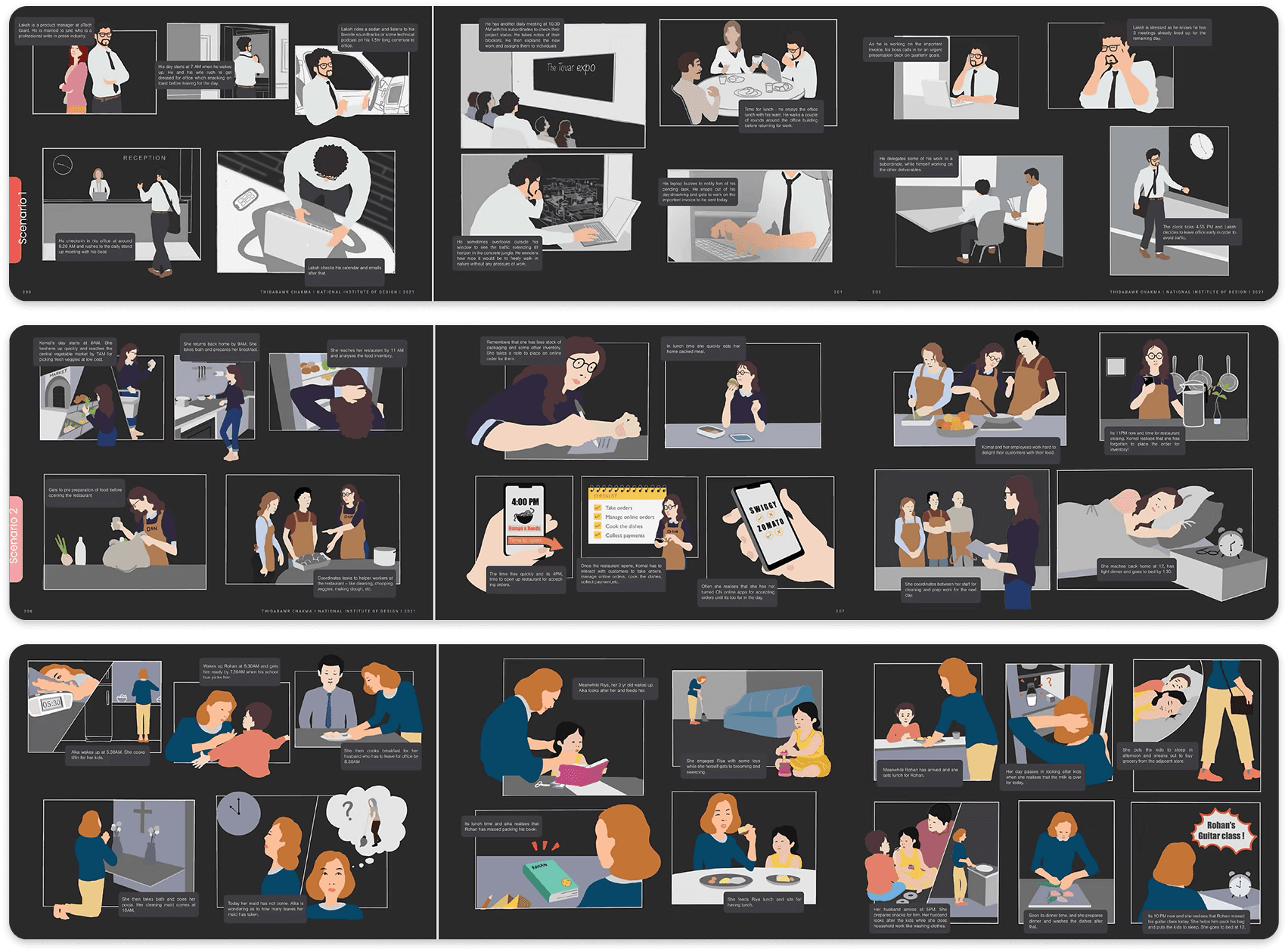
User scenario
Scenario mappings illustrated these personas in storyboards, highlighting daily journey and pain points like rushing or alarm surprises.
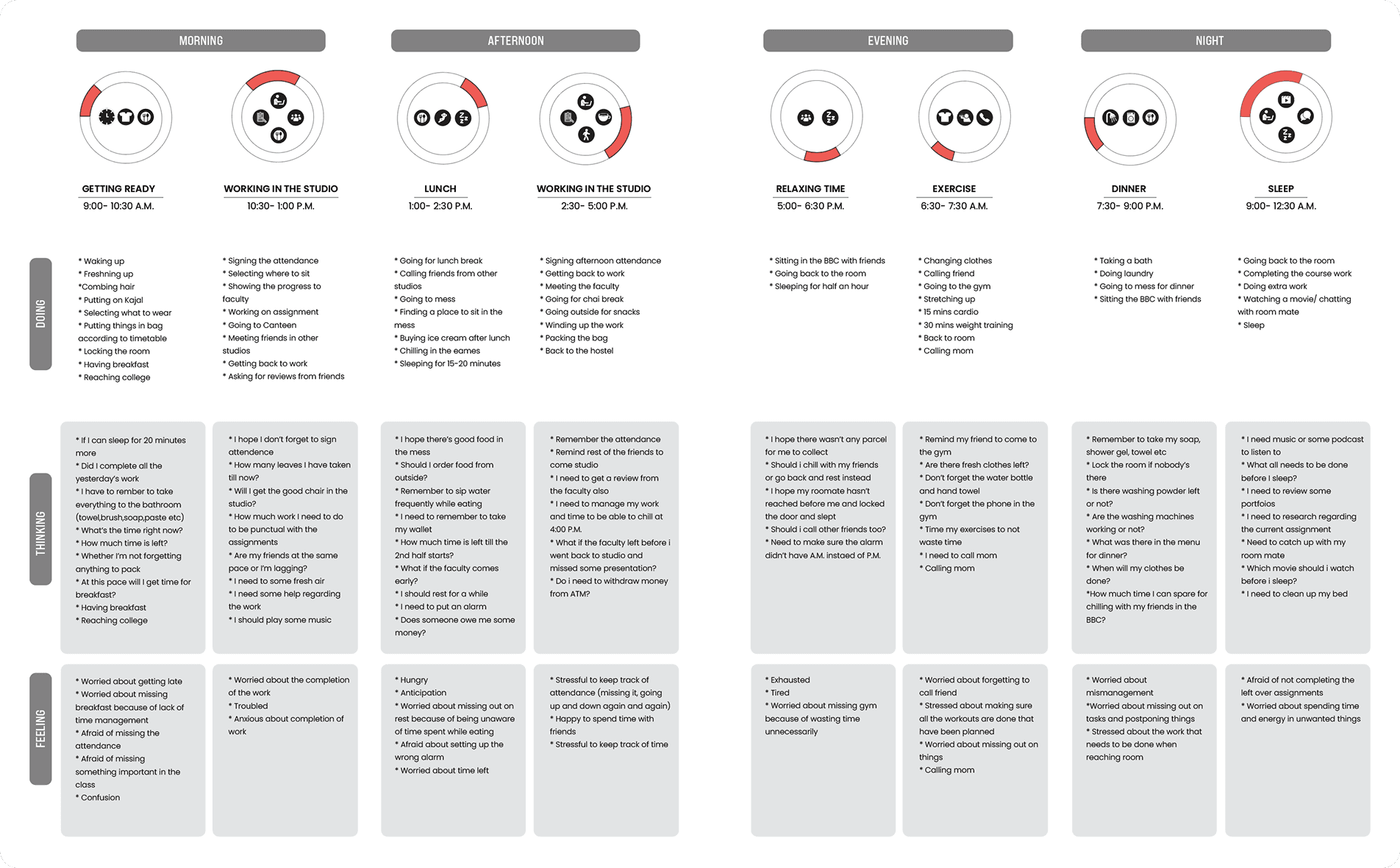
User journey map
A detailed user journey mapped a 24-hour cycle, divided into morning, afternoon, evening, and night segments. For example:
Morning: Waking, commuting, breakfast; thoughts like "Am I late?"; feelings of worry.
Afternoon: Lunch, work; thoughts on time left; feelings of hunger or gratitude.
Evening: Exercise, gym; thoughts on avoiding injury; feelings of tiredness.
Night: Dinner, sleep; thoughts on reading; feelings of fear about incomplete tasks.
Mapping the journey of a user in 24 hours cycle
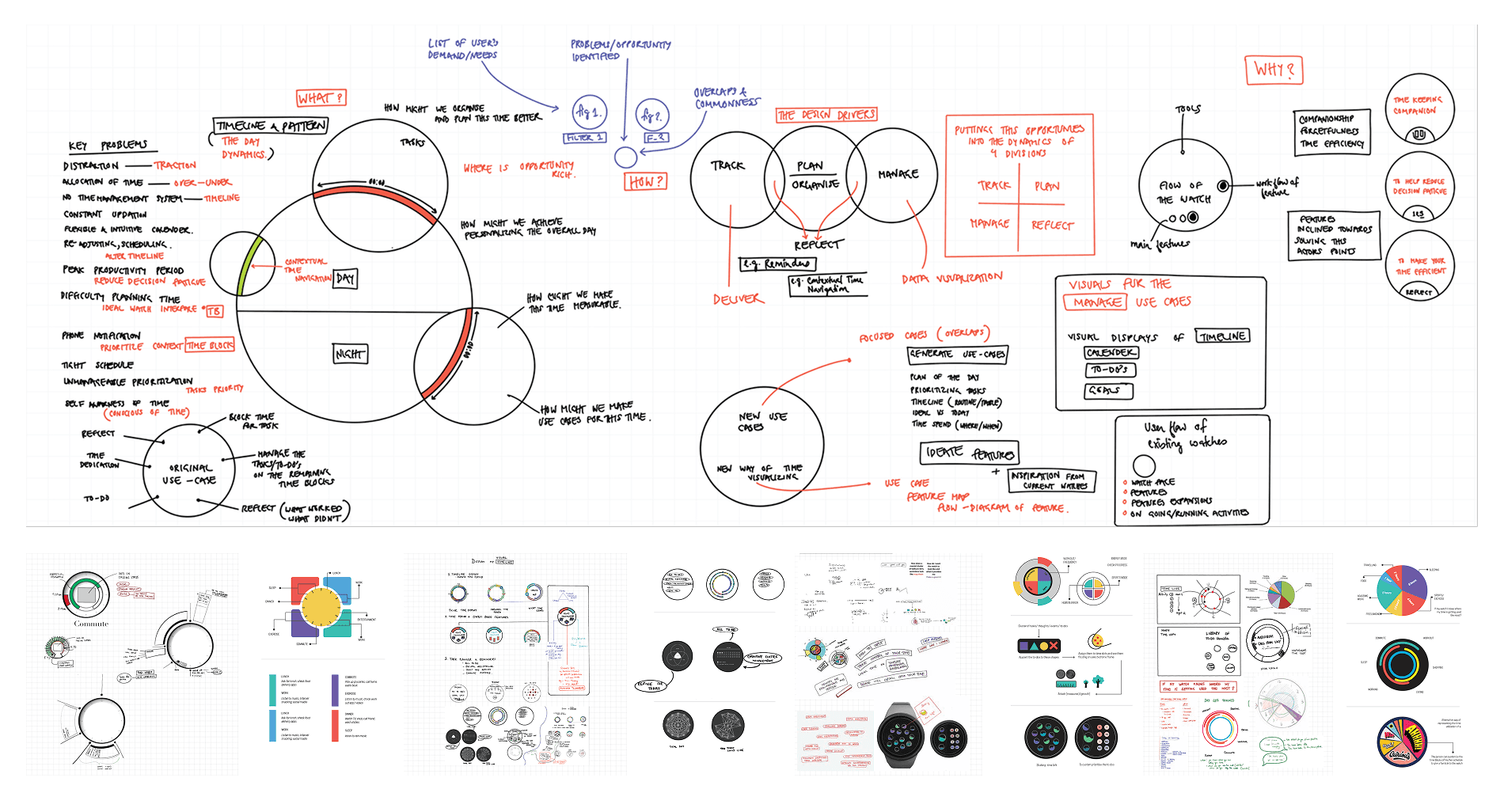
Ideation
Ideation included feature mapping with a mind map centered on "Timeline," branching to user input, visualization (arcs/circles), metrics (progress/remaining), integration (calendar/tasks), and customization (colors/priorities). Feature building involved sketches of watch faces with pie charts, bars, lists, icons for tasks, time blocks, multi-timelines, habits, goals, tracks, and notifications.
Flow Diagram
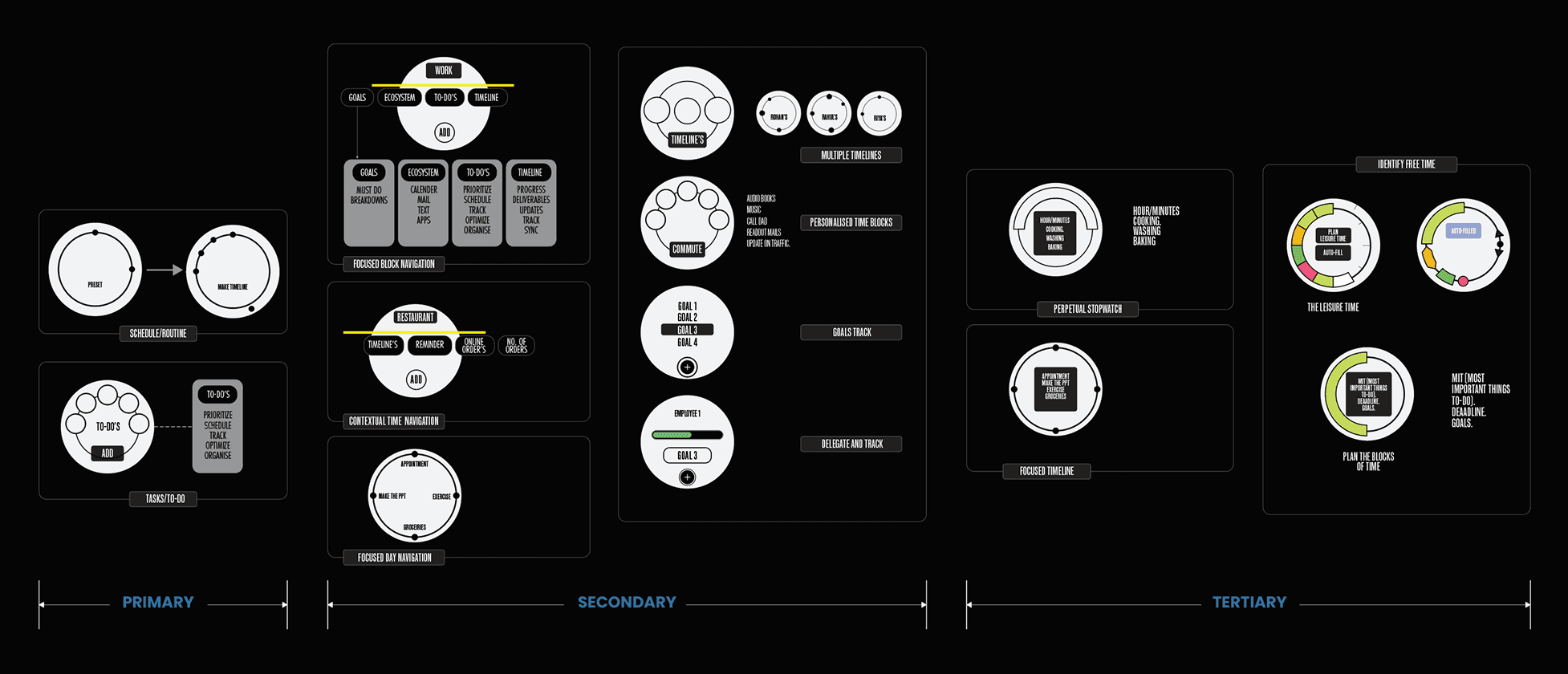
Combined common use-cases into primary (time block, focused time), secondary (daily track, personal time), and tertiary (play/down time) flows, such as Home > Tracking > Planning > Measuring.
Information architecture
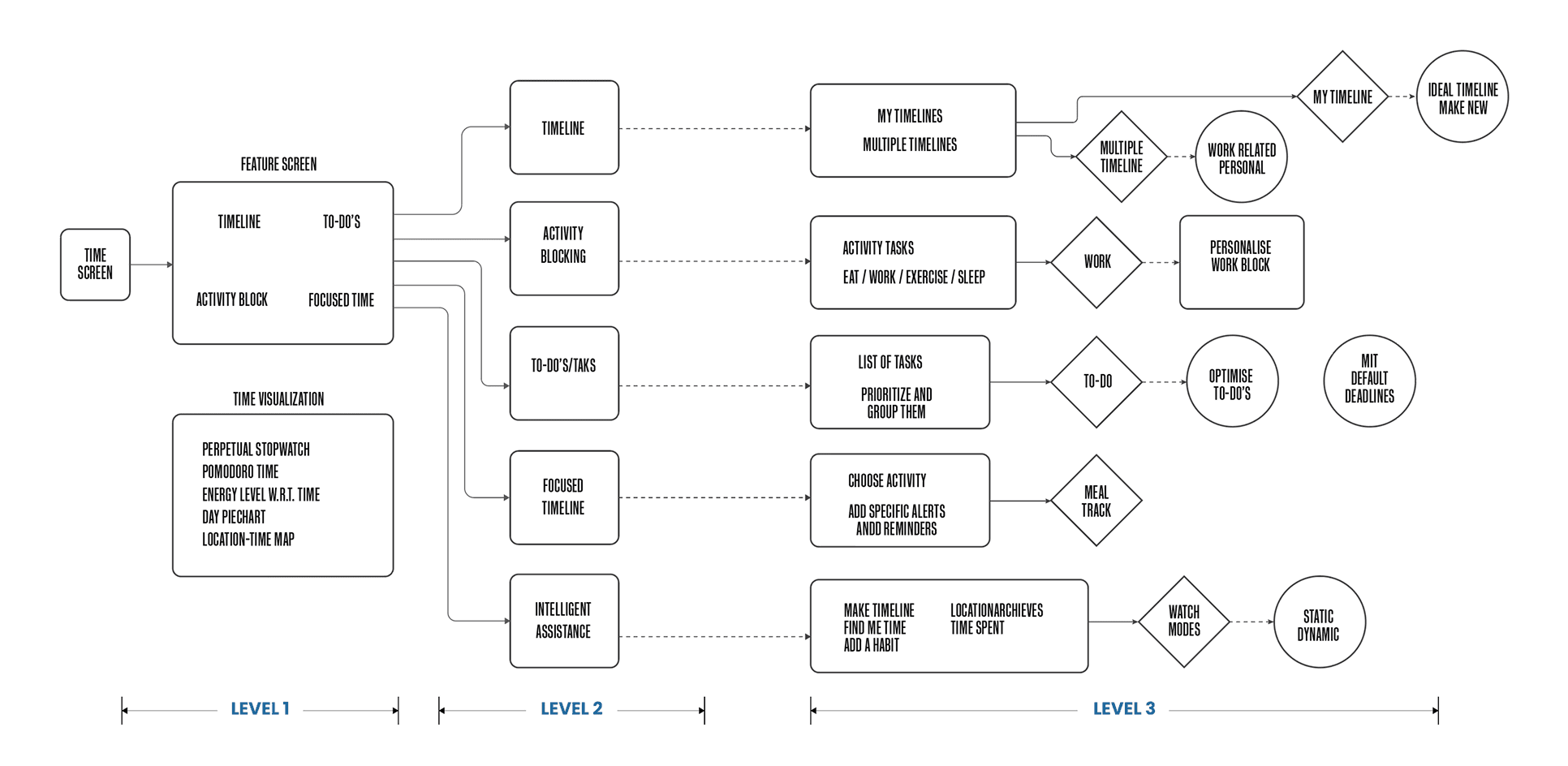
Information architecture provided a blueprint with three levels:
Level 1: Time screen to visualizations.
Level 2: My timelines to activity tasks.
Level 3: Making timelines, modes (static/dynamic), location integration.
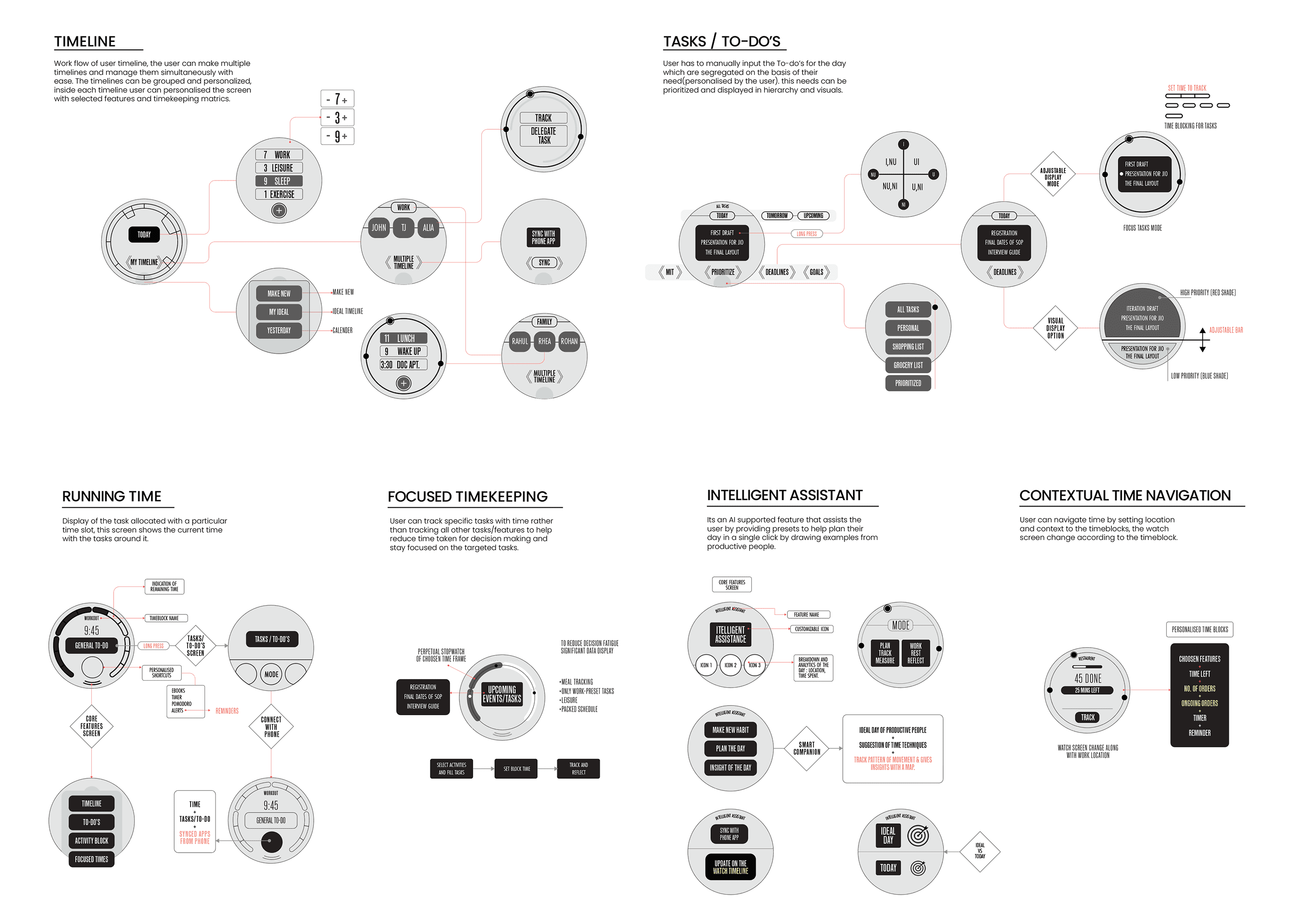
Low-fidelity Wireframes
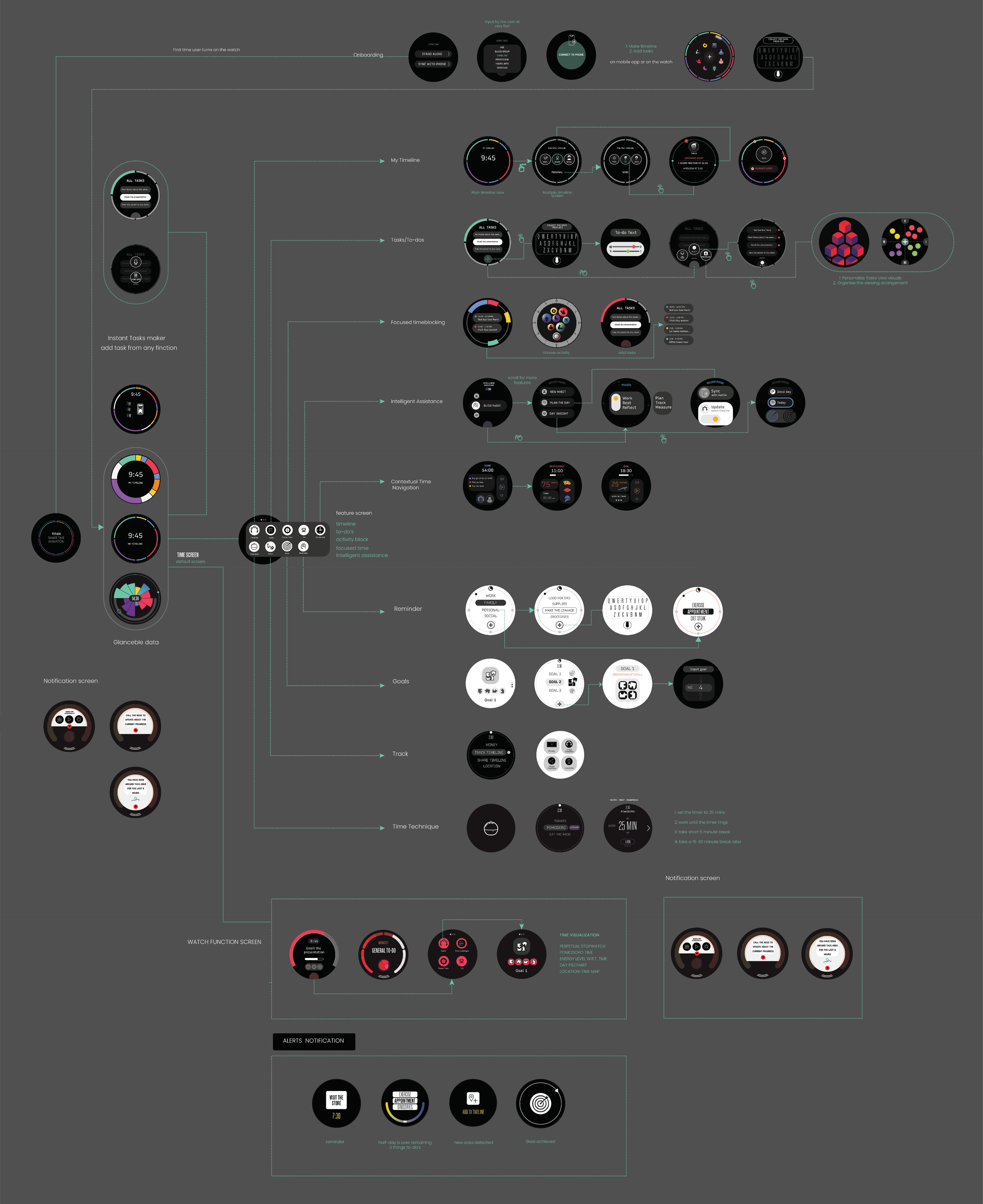
High-Fidelity Designs
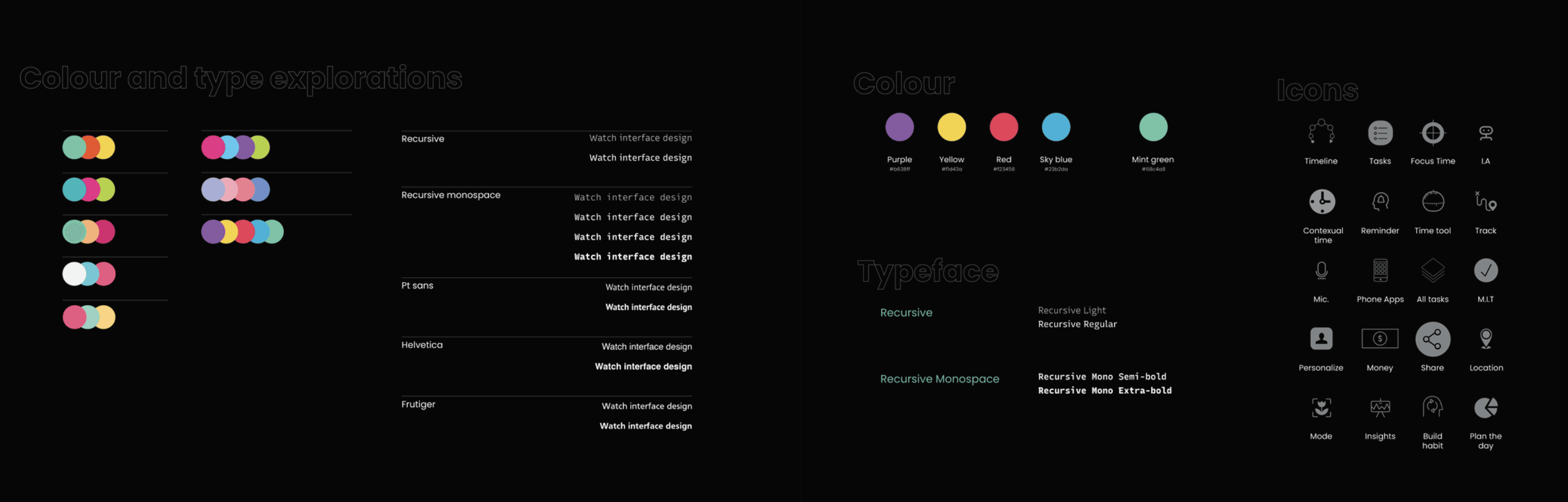
Colour and type exploration
The color palette featured a rainbow spectrum (pink, purple, yellow, red, blue, green) alongside monochrome options. Typography used Recursive Mono and Recursive Sans (regular, bold, italic). Icons were simple line designs for time, tasks, and focus elements.
Conclusion
The project successfully transforms smartwatch timekeeping into a comprehensive, user-centered system that addresses real-world productivity challenges. By integrating research-driven insights, intuitive designs, and innovative features, it empowers users to manage time more effectively, reducing stress and enhancing daily efficiency. Future iterations could explore broader integrations or user testing for refinement, positioning the watch concept as a benchmark for wearable productivity tools.