Case Manager Tool
Responsive web-app Interface

COMPANY
Securly Softwares
YEAR
2025
STAKEHOLDERS
Product Manager Design Manager
Dev and QA
ROLE
UX/UI Design
Prototyping
Interaction Design
Design Systems
Case Manager web app Responsive Interface. Redesign for mobile-optimised usability, structural design and visual hierarchy. A new redesigned interface with updated design system components.

I spearheaded the transition from a "force-fitted" port to a scalable mobile-first ecosystem. From redesigning mobile IA, to improving usability and interaction accessibility, I ran this projects to deliver a unified responsive web app experience. This project eliminated operational strain and empowered case managers with a streamlined, zero-friction interface for rapid alert resolution.

INTRODUCTION
About Securly’s
Case Manager?
Securly Case Manager is a case management interface designed for school student services teams to track and resolve student wellness alerts
It acts as an extension of Securly Aware, which monitors digital activities (emails, searches, and social media) for signs of self-harm, bullying, or violence. When Aware flags a concerning activity, Respond organizes it into a "case" for a specific student, allowing staff to investigate and intervene.
Securly Aware:
The monitoring tool that feeds data into Case Manager protects approximately 13.8 million students across 3,050 districts.

THE PROBLEM
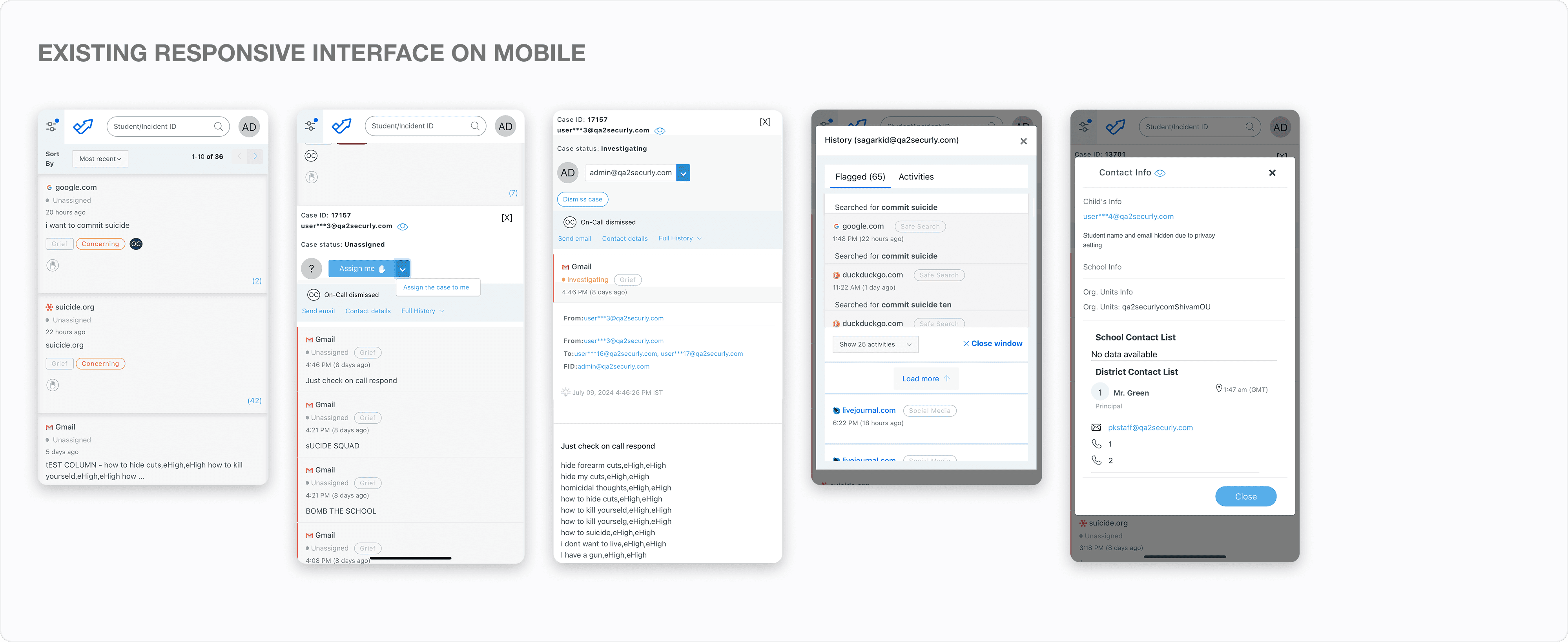
The current experience is too complex for small screens
The current responsive web app interface is too complex for small screens, it lags critical mobile-specific optimisations which resulted in frustration and sparked a wave of support tickets from users


GOAL
Designing a seamless case management experience across every device
Case managers using the platform work across both desktop and mobile devices. It's critical to eliminate friction, reduce support dependency, and deliver a confident, intuitive experience on every screen.

Case Manager Redesign
Redesign the case manager as part of the larger initiative to reduce support burden and improve usability across devices.

Responsive Mobile Experience
Current product does not support a seamless mobile experience, causing user confusion and a high volume of support tickets.

Unified Component System
The redesign will establish a shared, scalable component system that minimises engineering effort across web and mobile.
PROCESS AND REASONS
Designing a best in
class experience
I mapped the core workflow to best fit a mobile-first experience, auditing 10+ enterprise and consumer products to analyze IA, navigation mental models, and page component structures. Designing for mobile requires deliberate prioritization, so I focused on aligning the experience with
key user goals while minimizing friction. A well-crafted mobile experience enables users to complete primary actions and access critical information quickly and efficiently.

COMPONENTS DESIGN DECISIONS
Crafting a scalable and unified responsive interface design
key user goals while minimizing friction. A well-crafted mobile experience enables users to complete primary actions and access critical information quickly and efficiently.


MOBILE EXPERIENCE DESIGN
Crafting seamless Cross-Device cohesion
The final designs emphasize a seamless experience across different device types - improving usability, accessibility and reducing frictions for analysts to achieve key goals

FILTERS & SORT BY

CASE LIST PAGE

CASE DETAIL PAGE

SEND EMAIL
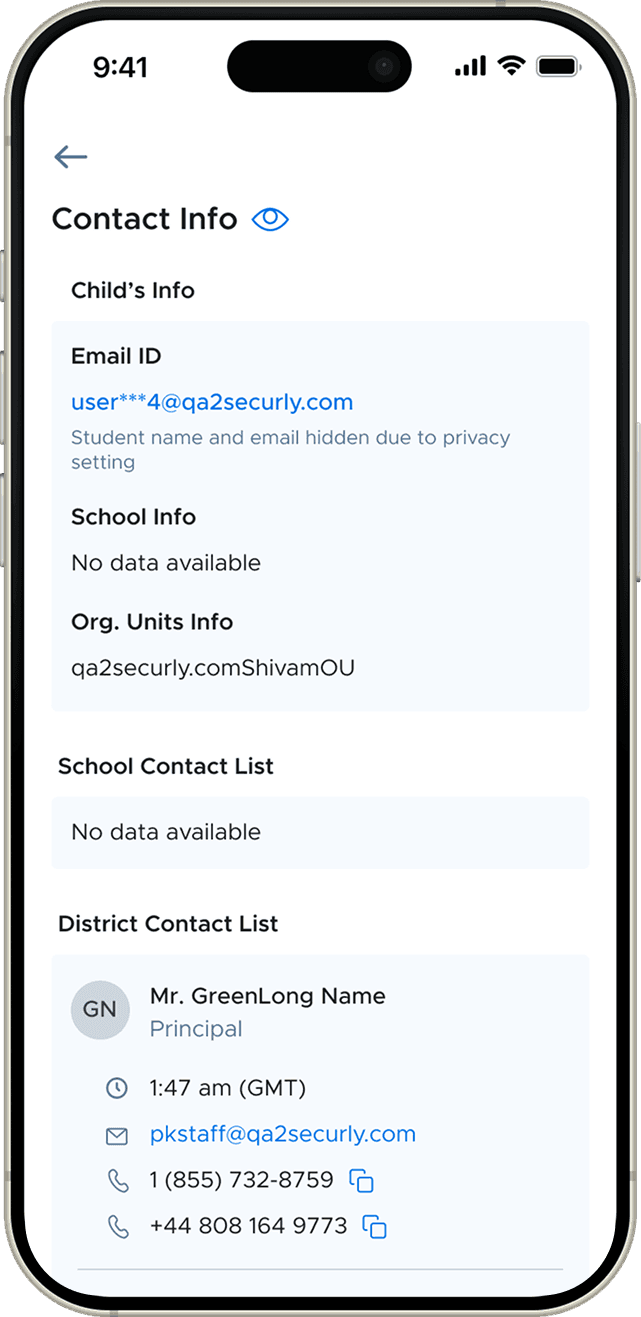
CONTACT INFO

CASES HISTORY

NOTIFICATIONS
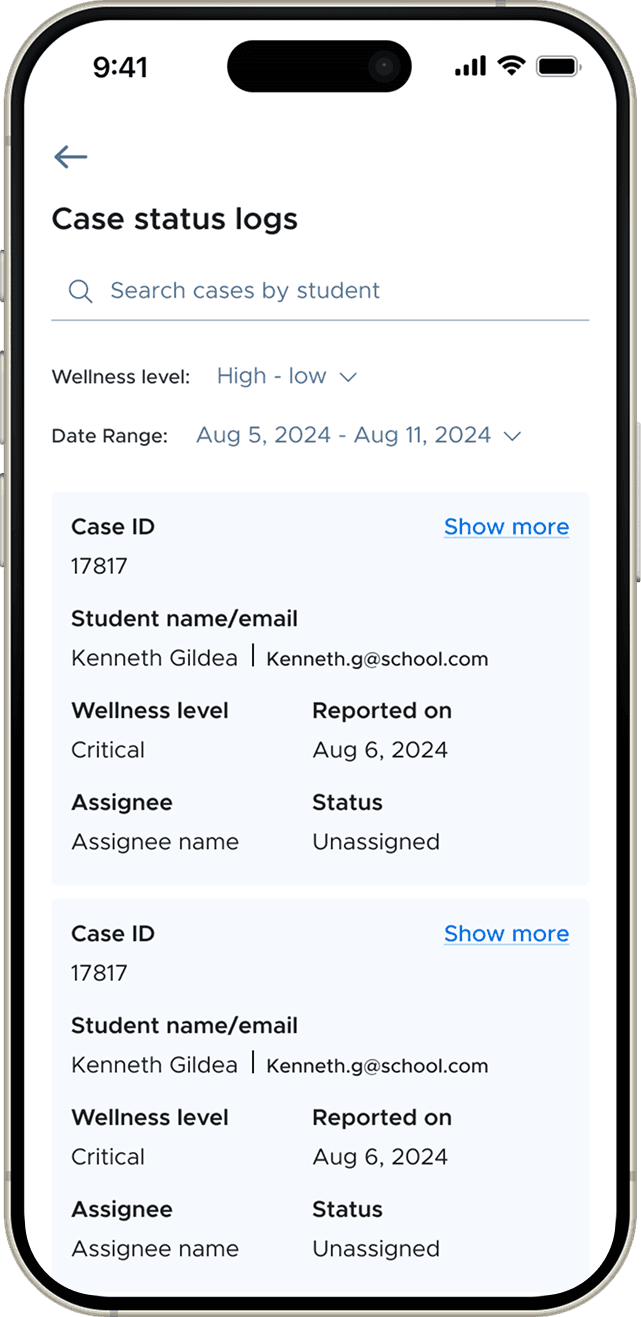
CASE LOGS

CASE DETAIL - MORE INFO
WEB EXPERIENCE REVAMPED
Extending the updates
to the web
The Redesigned web responsive interfaces translate into the web with zero friction, The engineering constraint led to the primary intention for low maintenance code, which now works seamlessly across devices and can be maintain with single-code base

HOME PAGE (CASE LIST & CASE DETAIL)

MAIN ACTION (SEND EMAIL, CONTACTS, HISTORY)

NOTIFICATIONS AND CASE LOGS

RESOLVING A CASE
CONCLUSION
Outcome & Impact
The Redesign workflows were implemented in phases due to limited engineering bandwidth, focusing on the key issues that needed immediate intervention to reduce support tickets. The project enabled the legacy product interface to update with the new design system making it accessible and usable.
Reflection &
Learnings
Mobile first approach are centered on efficiency and clarity. Content Prioritization forces you to focus and find the core function to fit in a limited real estate. Designing a unified experience enables to optimize for both data heavy interfaces and key information structuring.