Classroom Tool
Automatic class schedule
COMPANY
Securly Softwares
YEAR
2025
STAKEHOLDERS
VP of Products Design Manager
Dev and QA
ROLE
UX/UI Design
Prototyping
Interaction Design
Design Systems
Designing a scalable, phased scheduling system for a classroom management tool. From a single schedule type to supporting all schedule formats used across US schools.
CONTEXT
Classroom Tool User

Teachers
Primary daily users. Rely on the tool to manage their classroom - class start/stop, schedule visibility, and automated triggers.

Admin
Configure the tool on behalf of teachers. Set up schedule types, rules, and automation parameters for the school.
THE PROBLEM
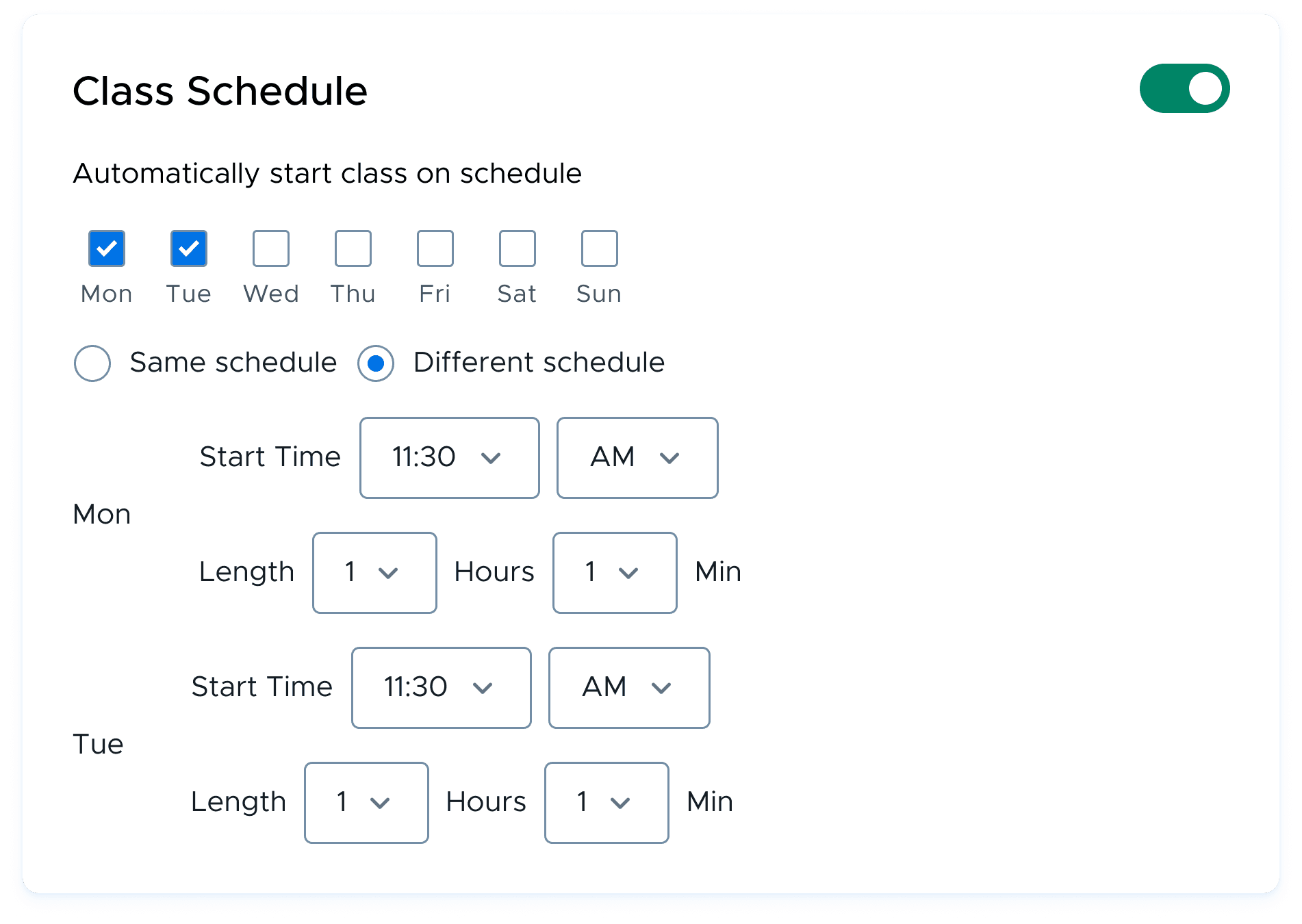
The scheduler only supported one schedule type
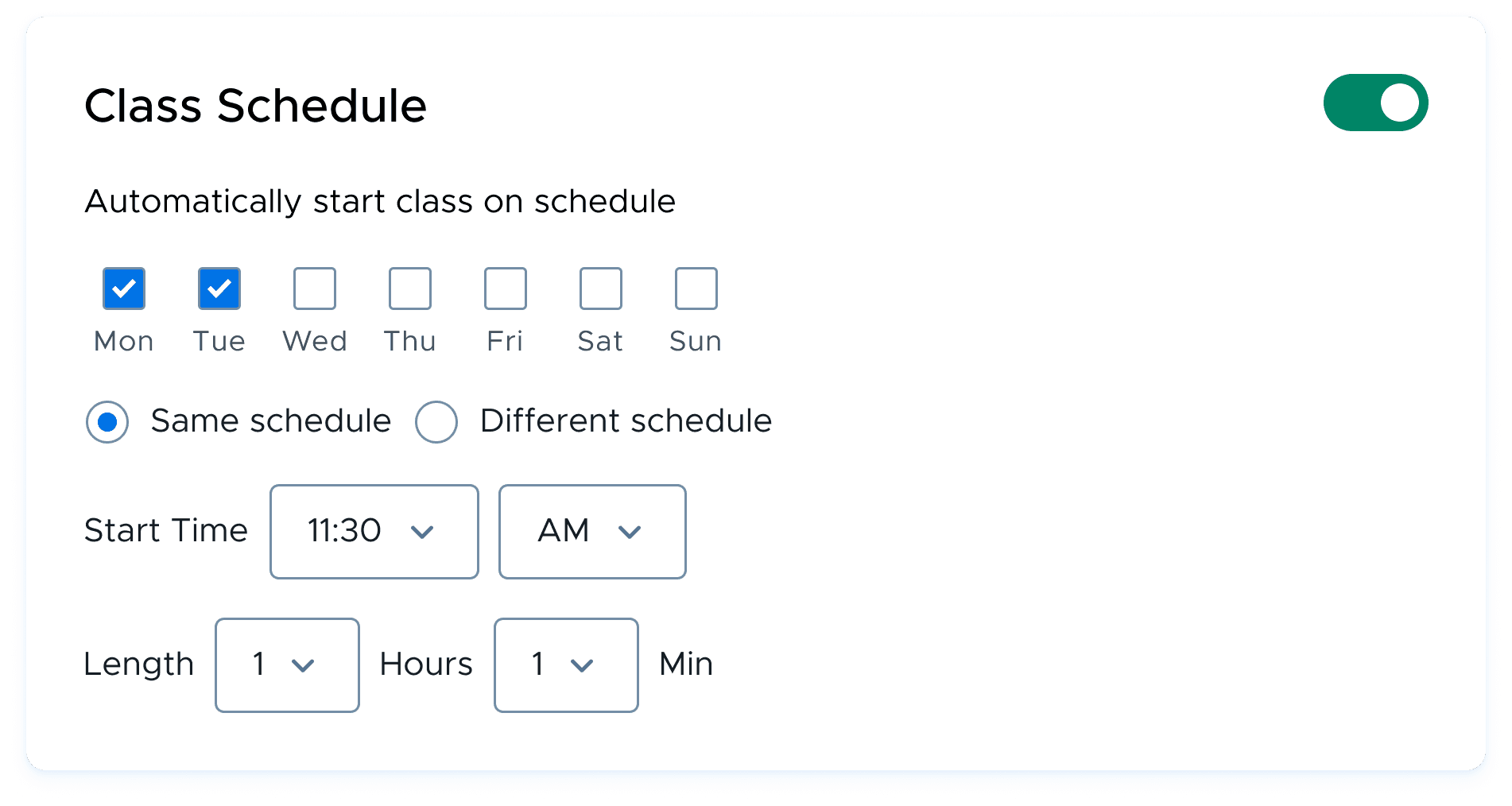
The existing scheduler only supported fixed schedules where the same periods repeated every day.
Schools using rotation schedules could not automate classroom scheduling, forcing teachers to manage schedules manually - creating friction, errors, and lost time every week.
CLASSROOM TOOL - CLASS SCHEDULING (OLD DESIGN)
USER PAIN POINTS
01
Manual schedule adjustments
Teachers had to reconfigure schedules whenever rotations changed, consuming time better spent teaching.
02
Incorrect automation
Auto-start launched incorrect classes because rotation logic was unsupported by the system.
03
Unsupported school schedules
Schools using rotation or bell schedules couldn't use scheduling automation at all.
RESEARCH
Discovery
What started as an A/B scheduling request uncovered a much larger systems problem.
CUSTOMER CHALLENGE
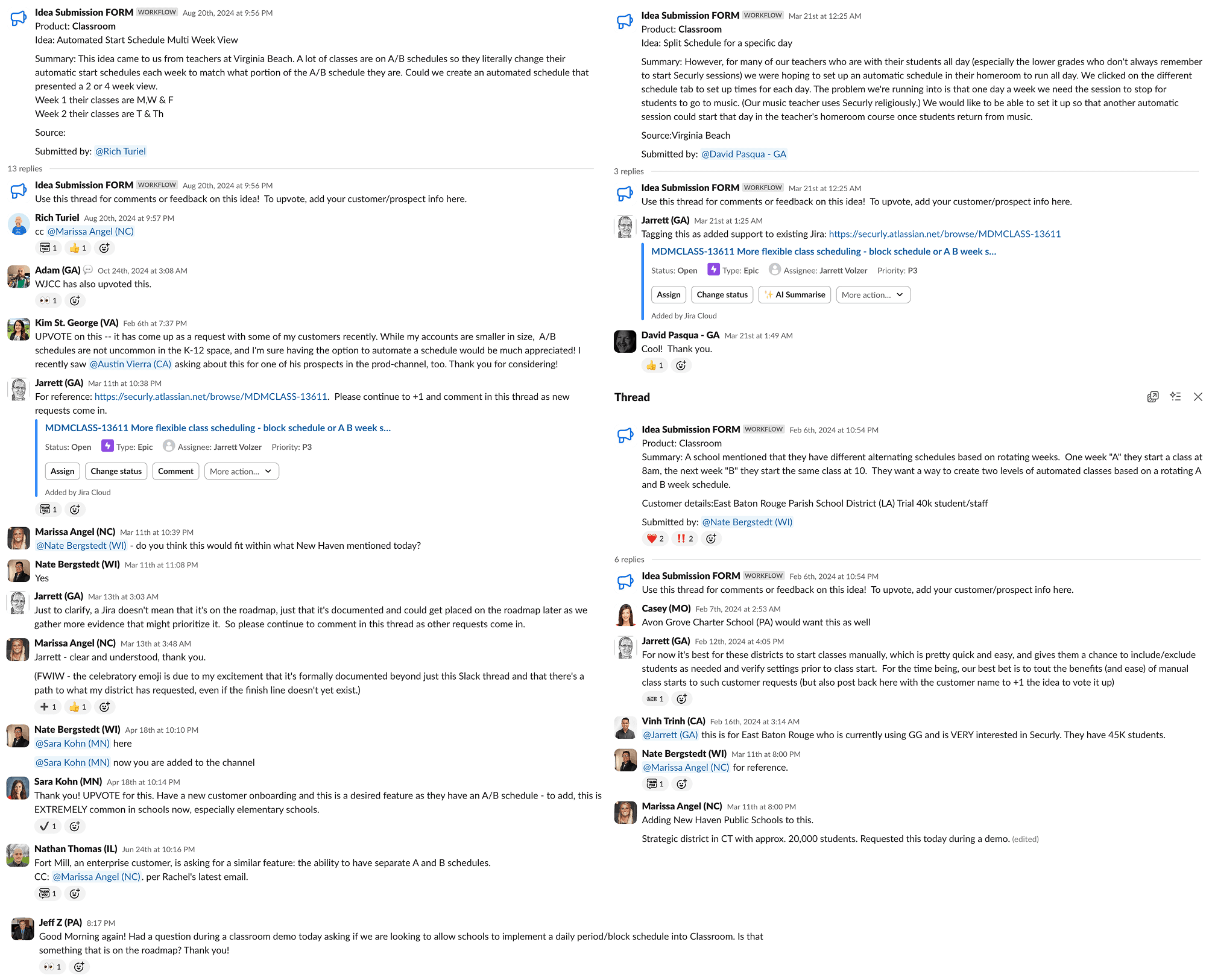
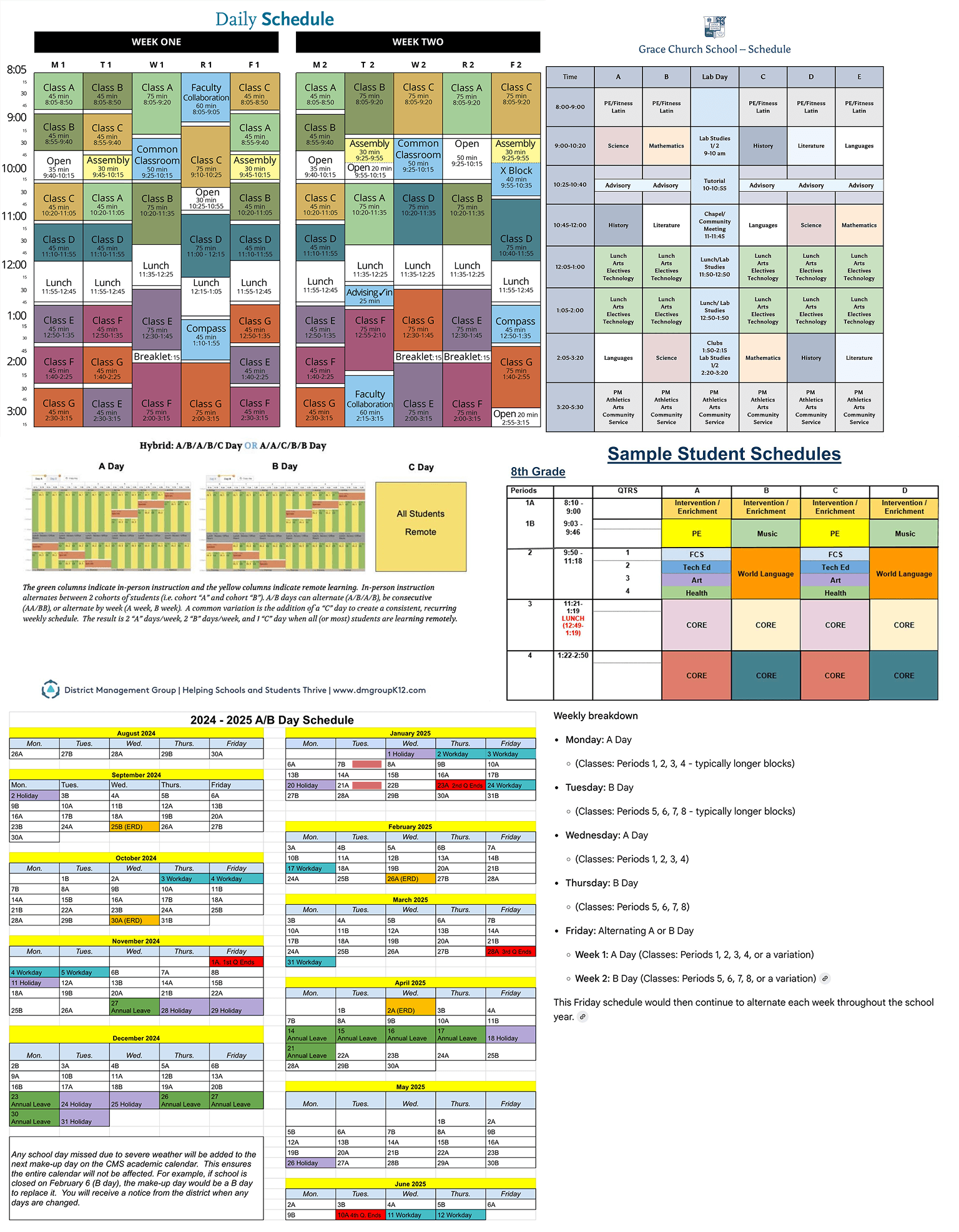
SCHEDULES USED ACROSS US
01
User Feedback Analysis
Reviewed support tickets and teacher feedback to identify recurring friction points and failure patterns with the existing scheduler.
02
US School Schedule Research
Mapped the landscape of scheduling models used across US K-12 schools, from fixed to A/B rotation, block, and bell schedules.
03
Competitive Analysis
Audited competing classroom management tools to understand how they handled schedule diversity and what gaps existed in the market.
04
Problem mapping
Synthesized findings into a problem map that revealed the full scope: this wasn't a single scheduling bug - it was a missing system.
Key Insight
They were entirely different systems with unique rules and requirements. The solution needed to be a scalable framework rather than a single feature.
STRATEGY
Strategy
Guiding Principle
Phased Rollout
Phase 1
Fixed + A/B Rotation
Phase 2
Advanced Rotation Models
Phase 3
Bell Schedules
MAJOR DESIGN DECISION
Move complexity
to admins, simplicity
to teachers.
Early concepts required teachers to configure rotation logic themselves. Testing revealed excessive complexity and setup errors. The final solution separated responsibilities based on user expertise.
INITIAL APPROACH
Teacher Configures Everything
Teachers were required to manually set rotation types, select applicable periods for each week, and configure timing - across every class they taught.
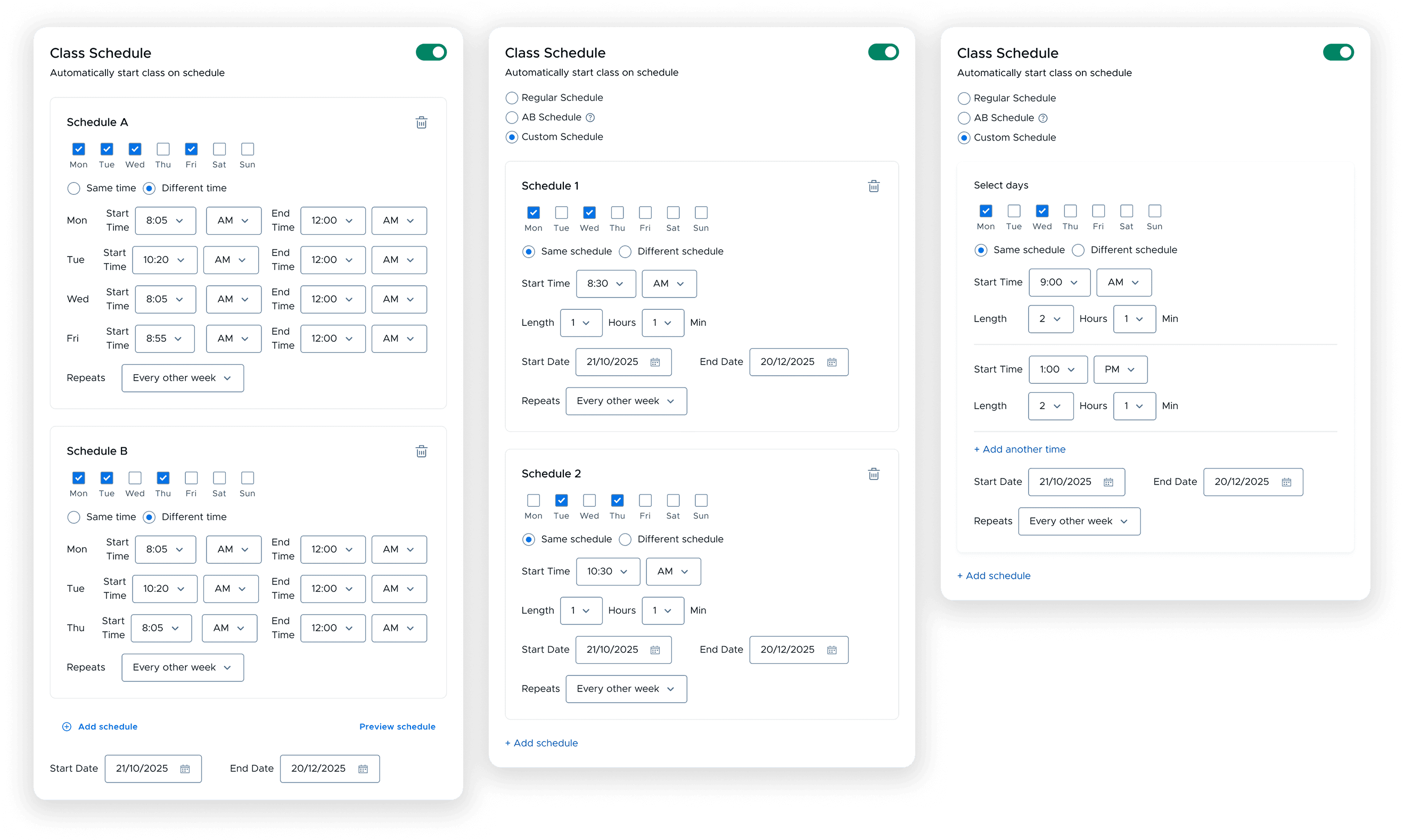
NEW APPROACH
Admins Configure · Teachers Select
Admins configure the school-wide rotation logic once. Teachers simply select which schedule applies today - the system handles everything else automatically.
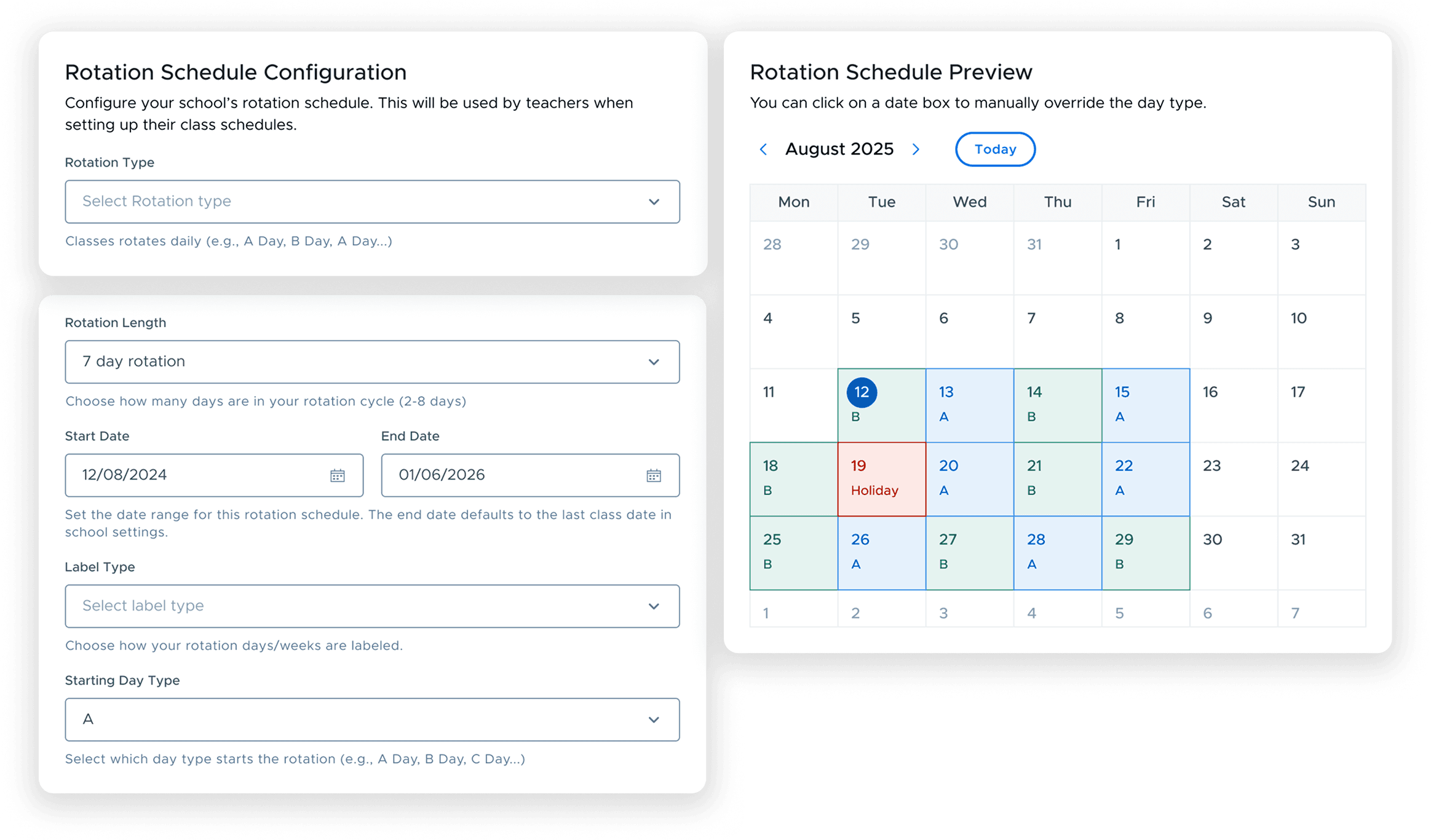
Admin view - heavy configuration
Admins configure once, teachers select and go
complexity hidden from the daily user
System scales to new schedule types via admin layer
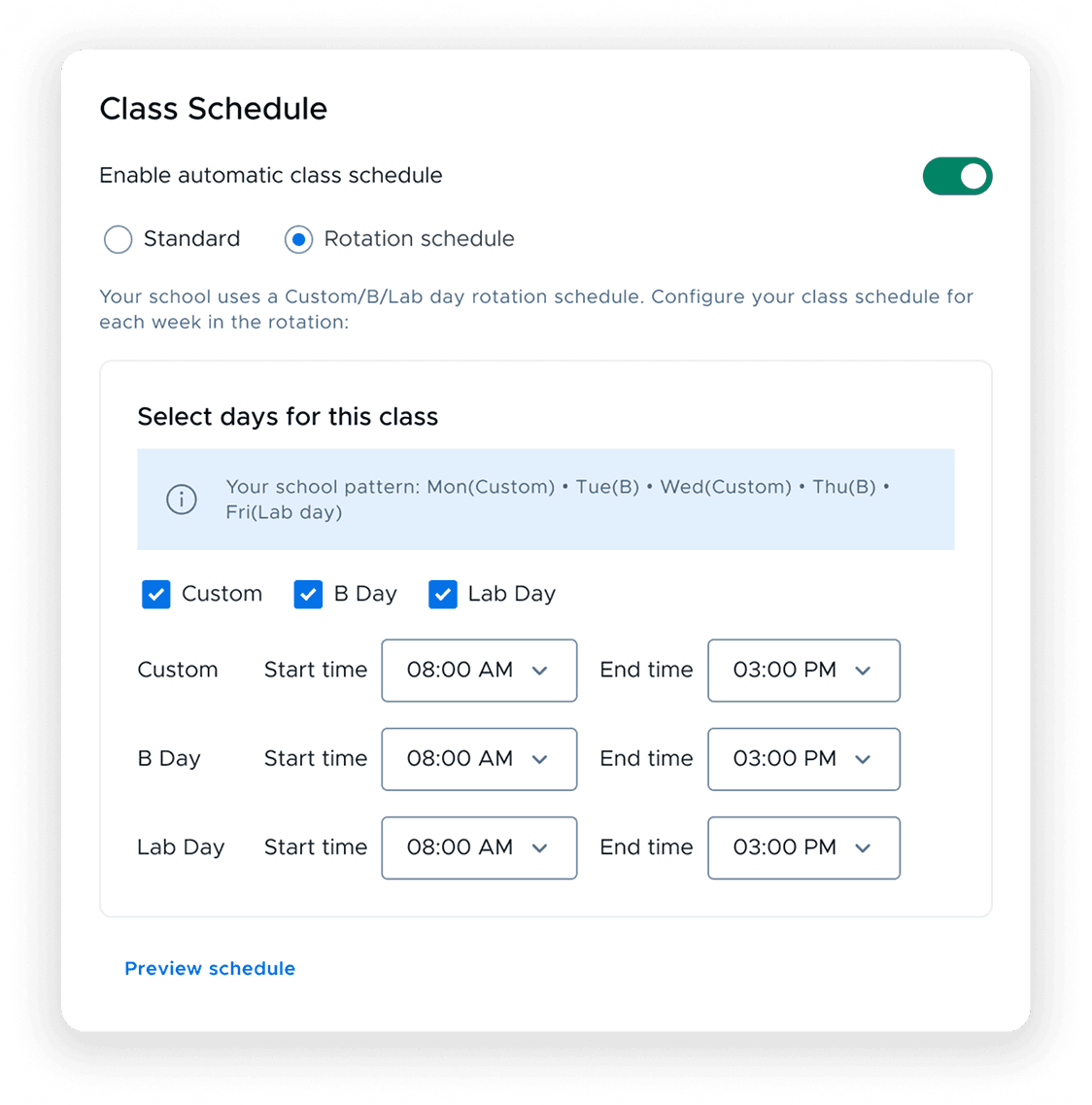
Teacher view - simplified selection
Teachers select their class rotation type
Everything else is configured by admins
THE SHIPPED EXPERIENCE
Schedule configuration
Solution
A two-sided scheduling system balancing administrative control with teacher simplicity.
ADMIN EXPERIENCE
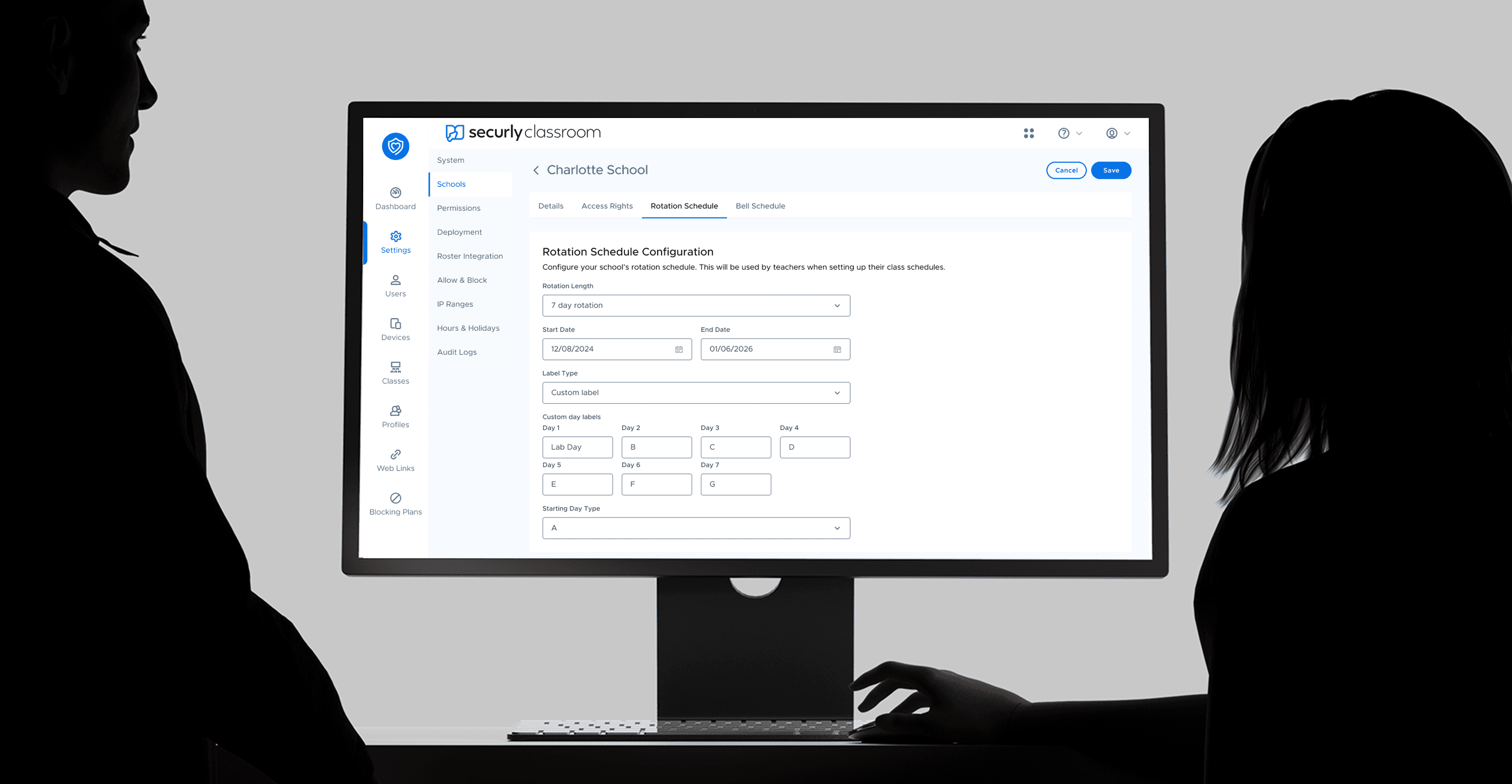
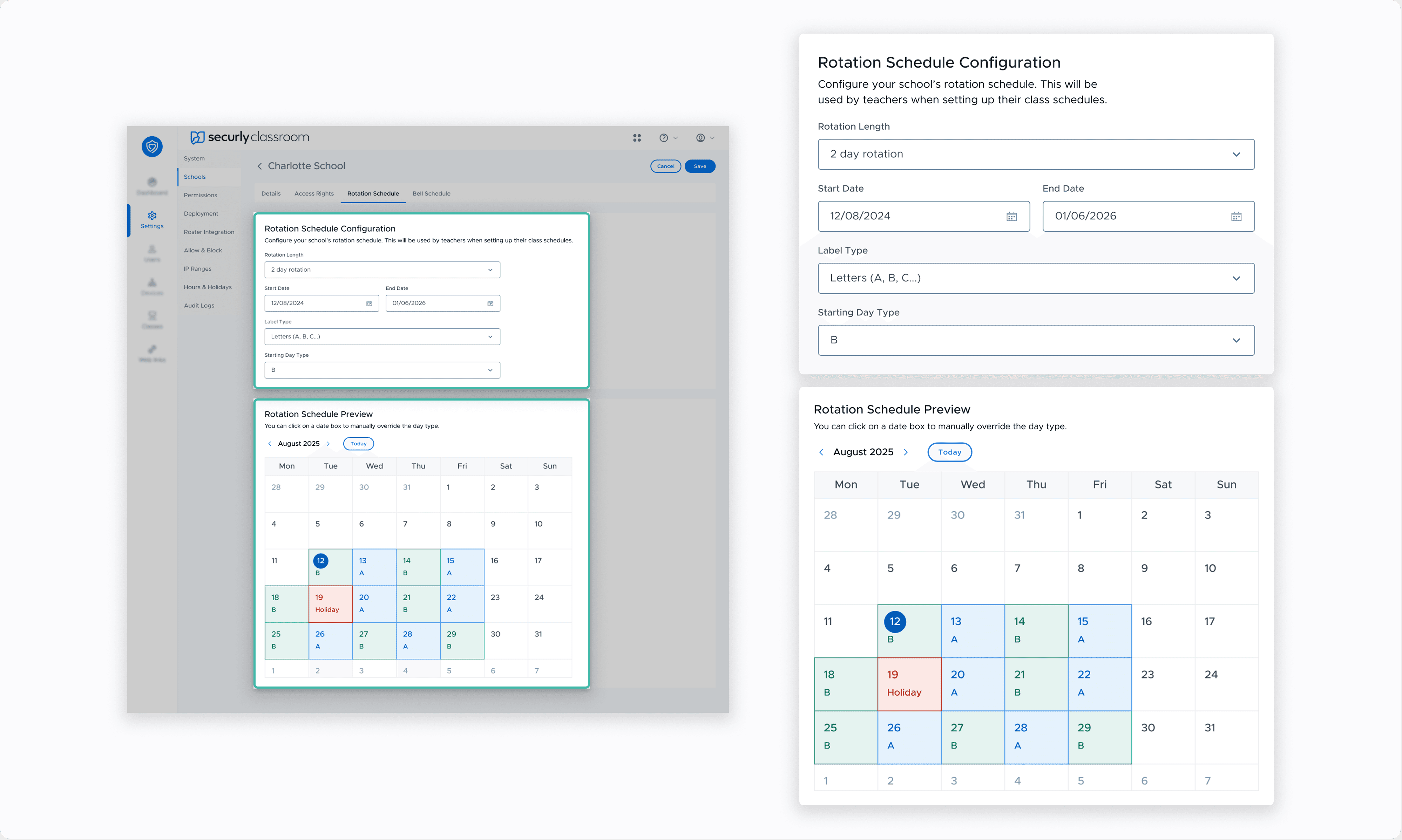
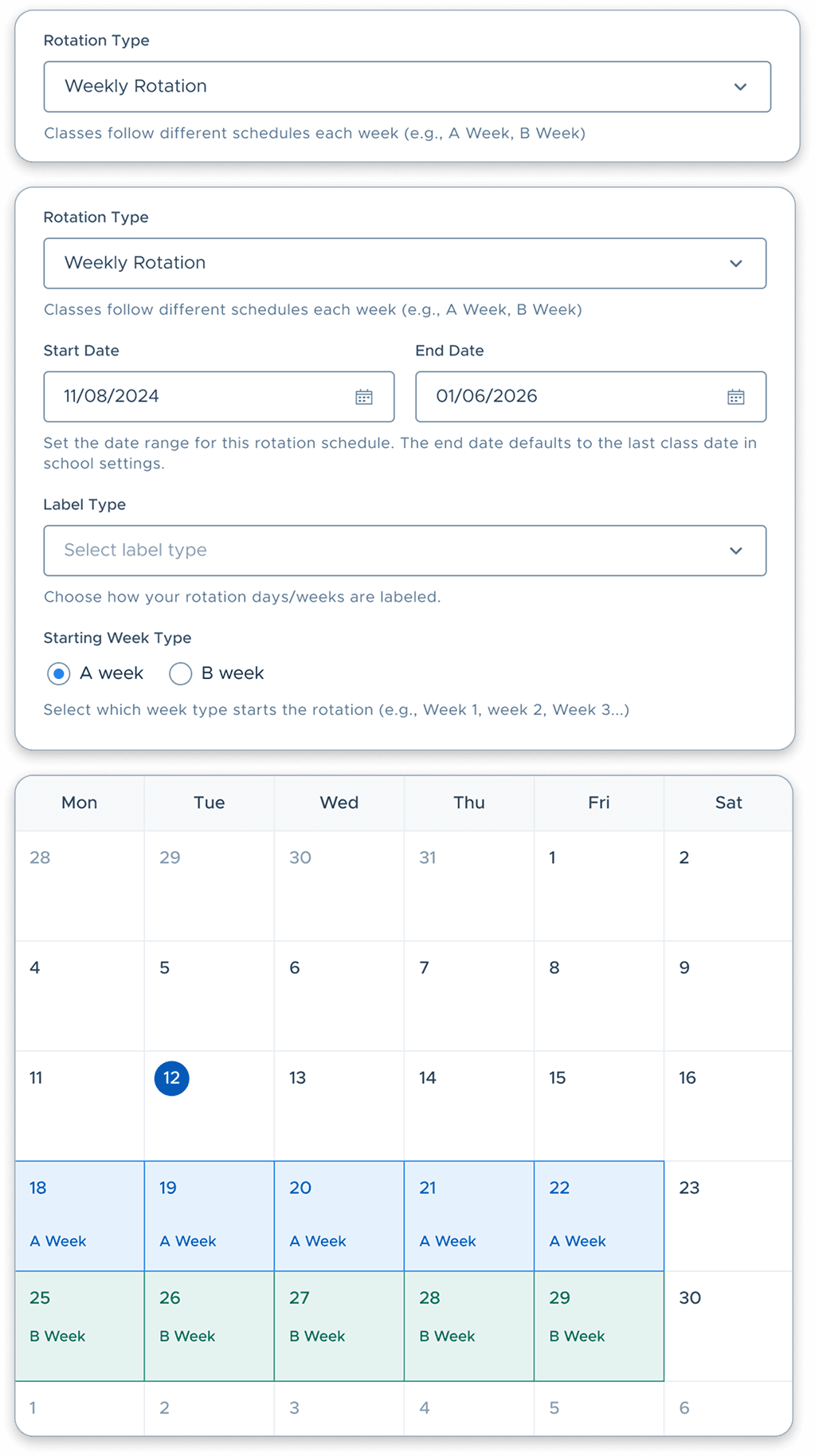
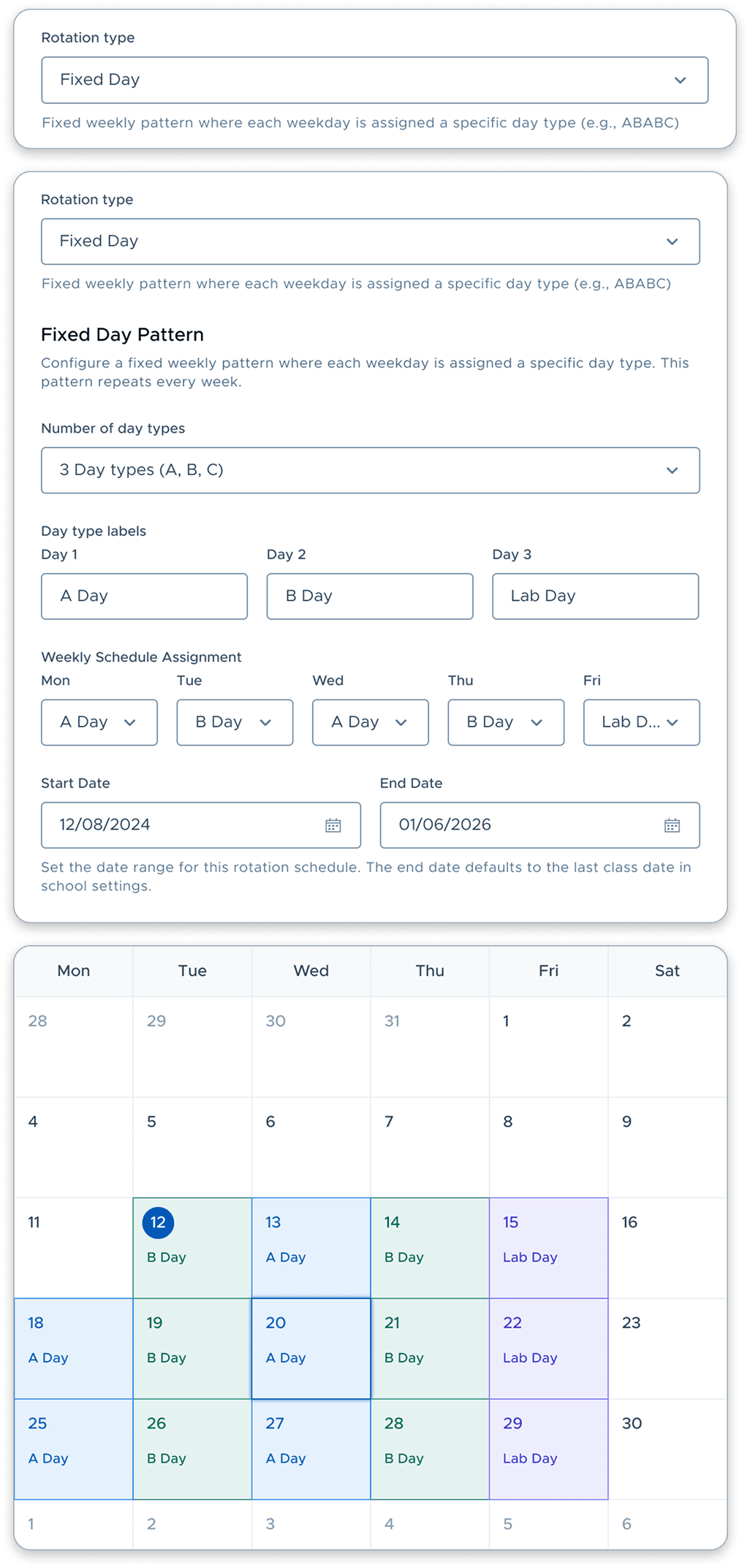
Configuring school schedule type and rotation logic
01
Enable Rotation
Toggle on Rotation Schedule for the entire school.
02
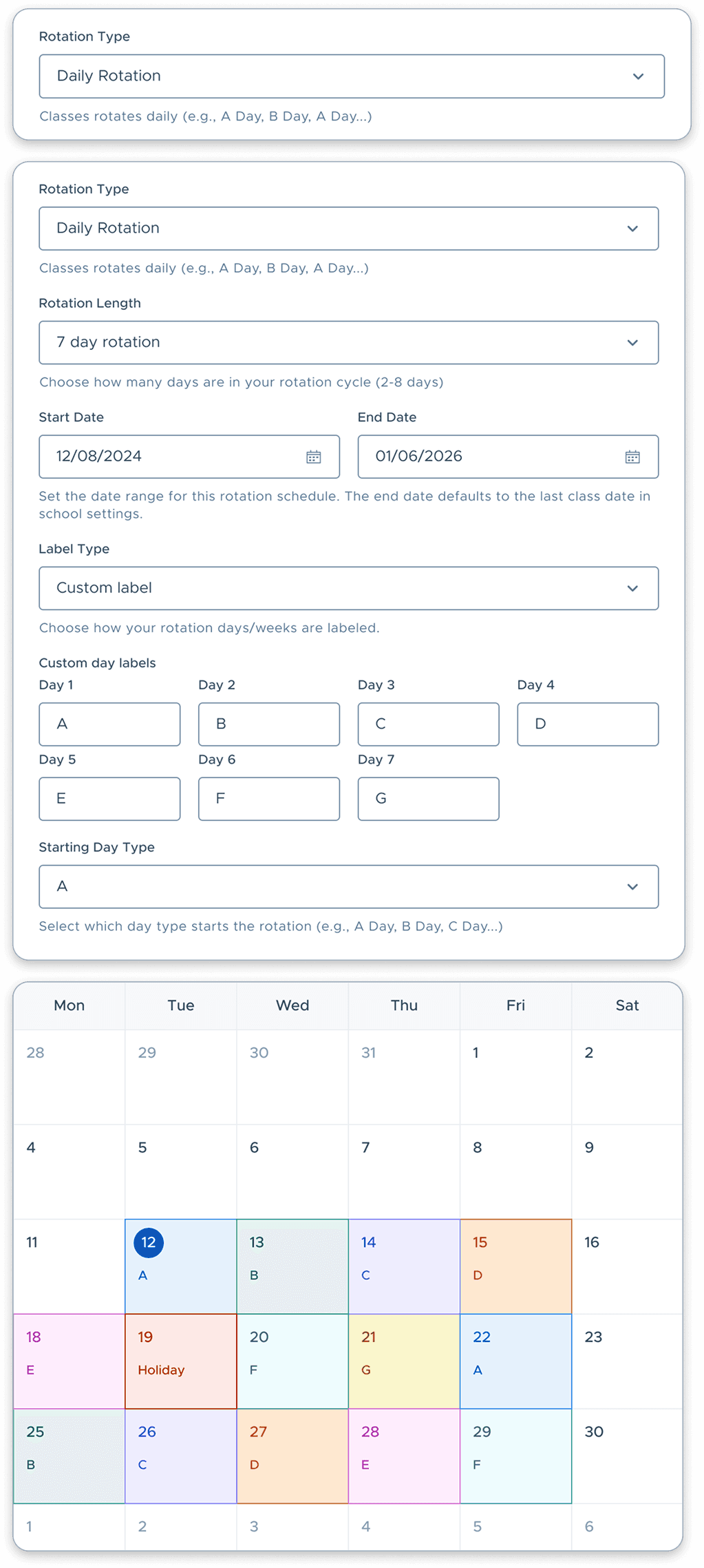
Configure Rotation Logic
Define rotation length, start/end date, label type etc.
03
Preview Schedule
Review the rotation pattern before publishing school-wide.
04
Save Configuration for the School
Publish once - all teachers inherit the rotation logic automatically.
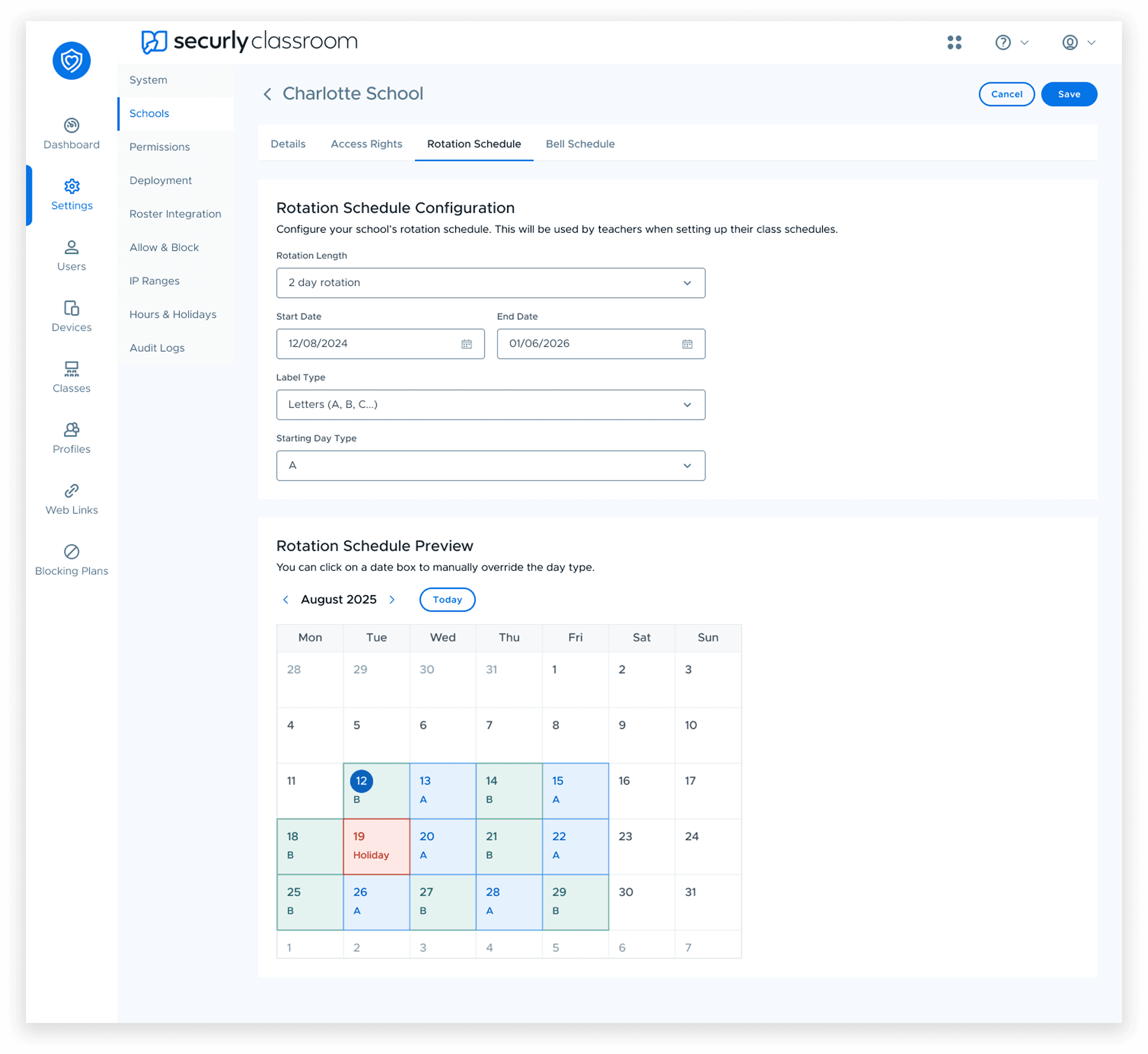
DAILY ROTATION
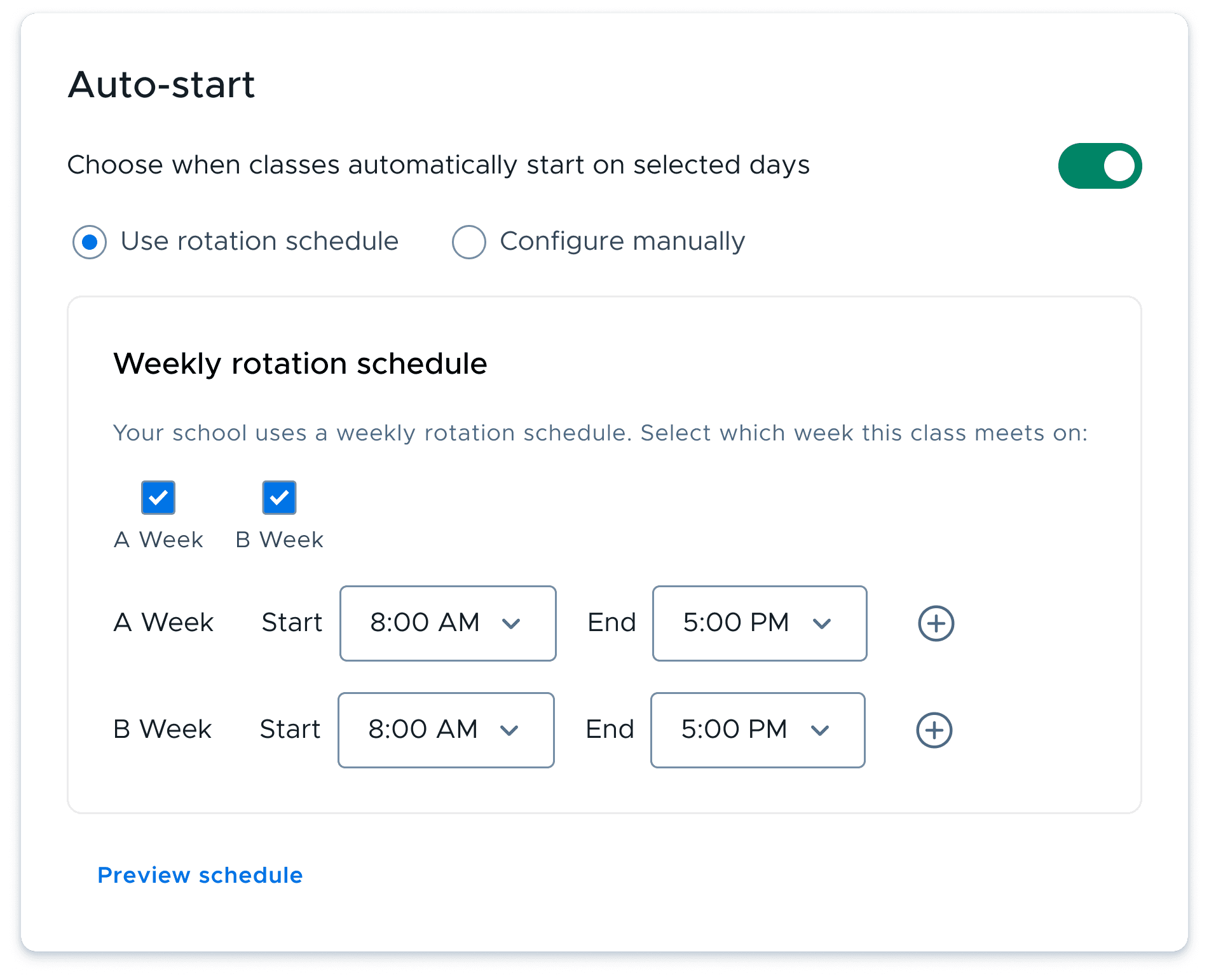
WEEKLY ROTATION
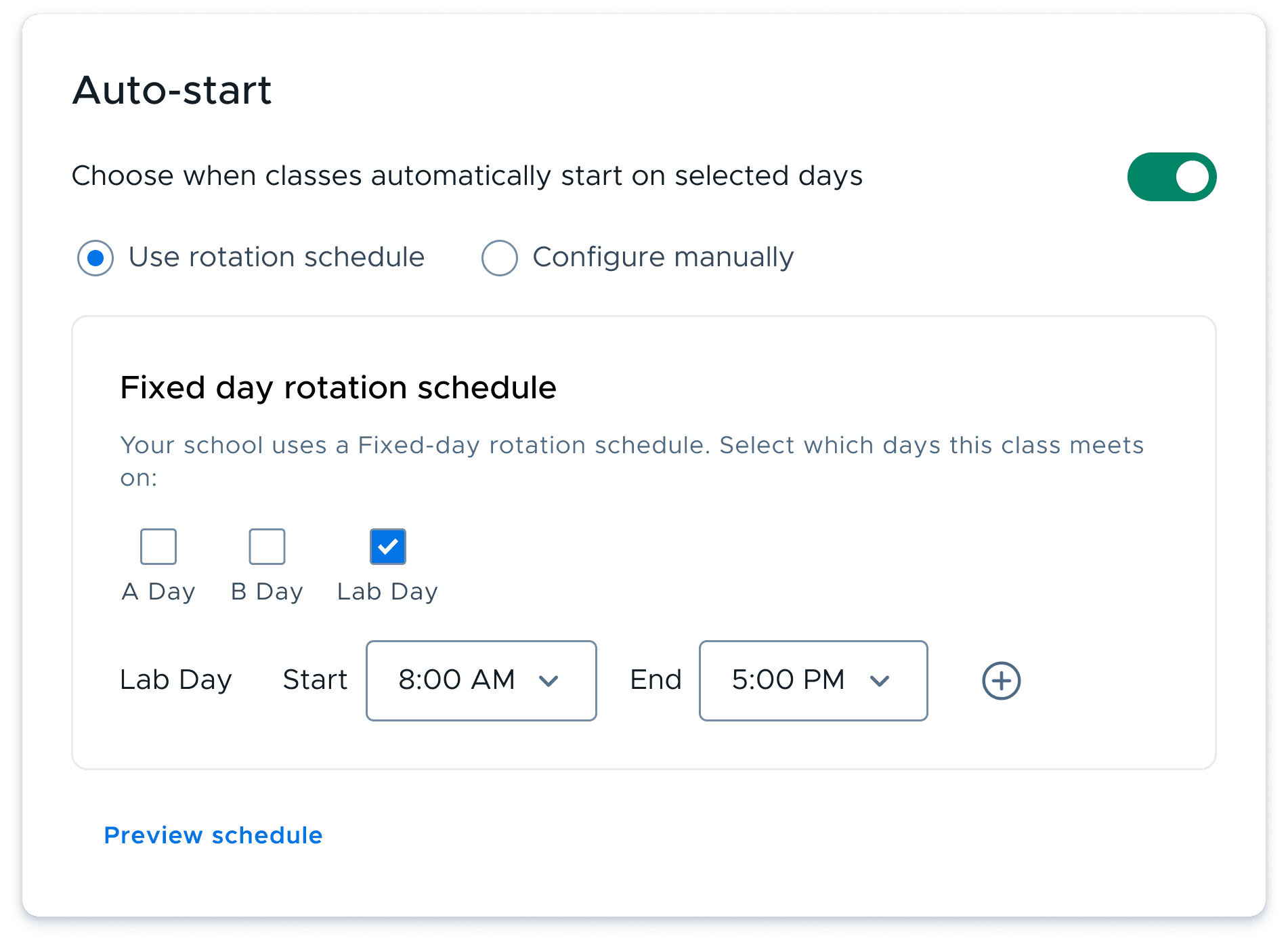
FIXED DAY ROTATION
TEACHER EXPERIENCE
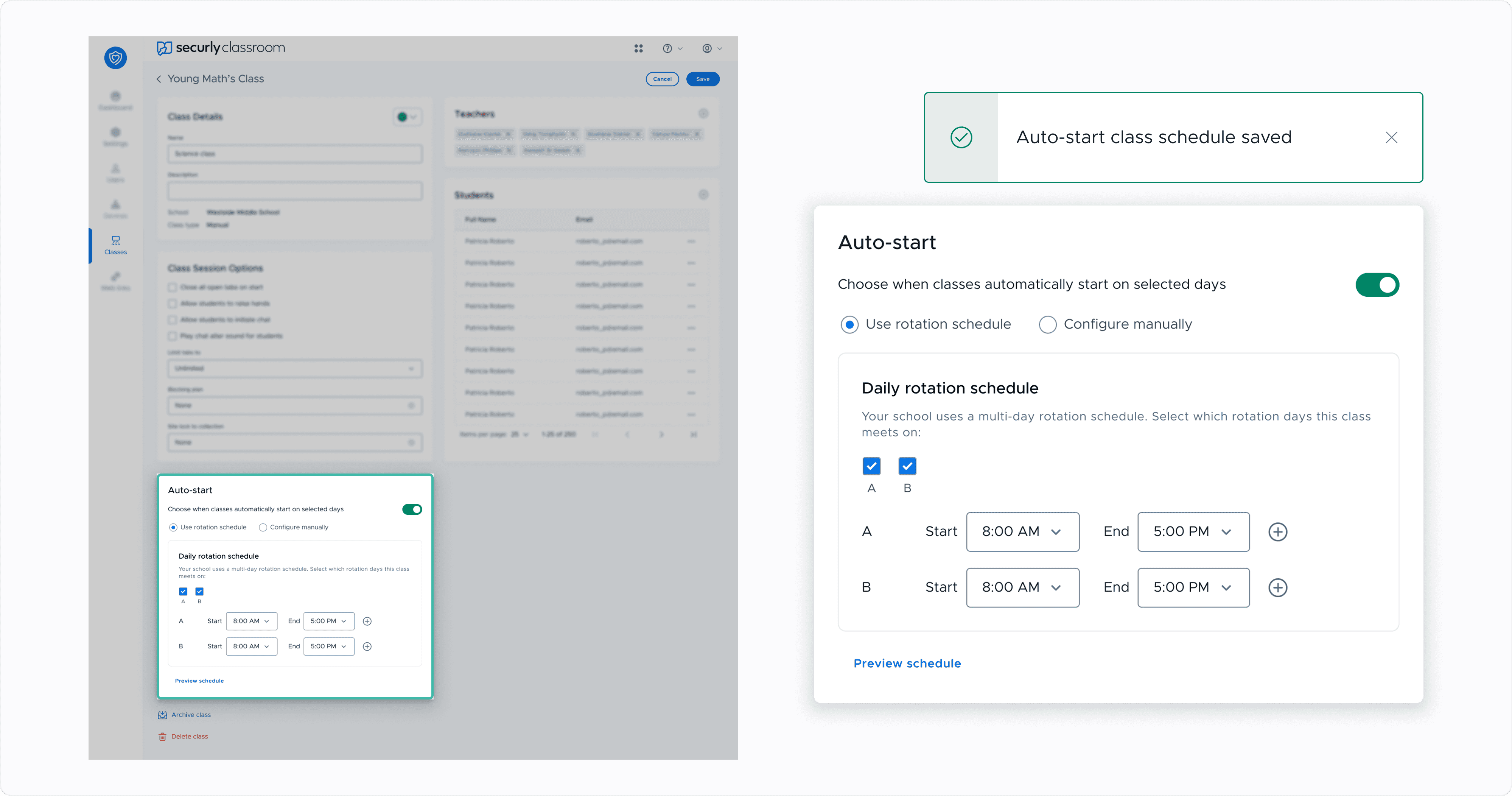
Selects class rotation day type, next set the time and nothing else required
01
Enable Auto Schedule
Turn on Auto-schedule from the class settings panel.
02
Select Rotation type
Choose rotation type from check boxes, no configuration needed.
03
Set Class Timing
Define the class start/stop time.
04
Save Auto-schedule
Save to auto-start the class schedule with minimum efforts
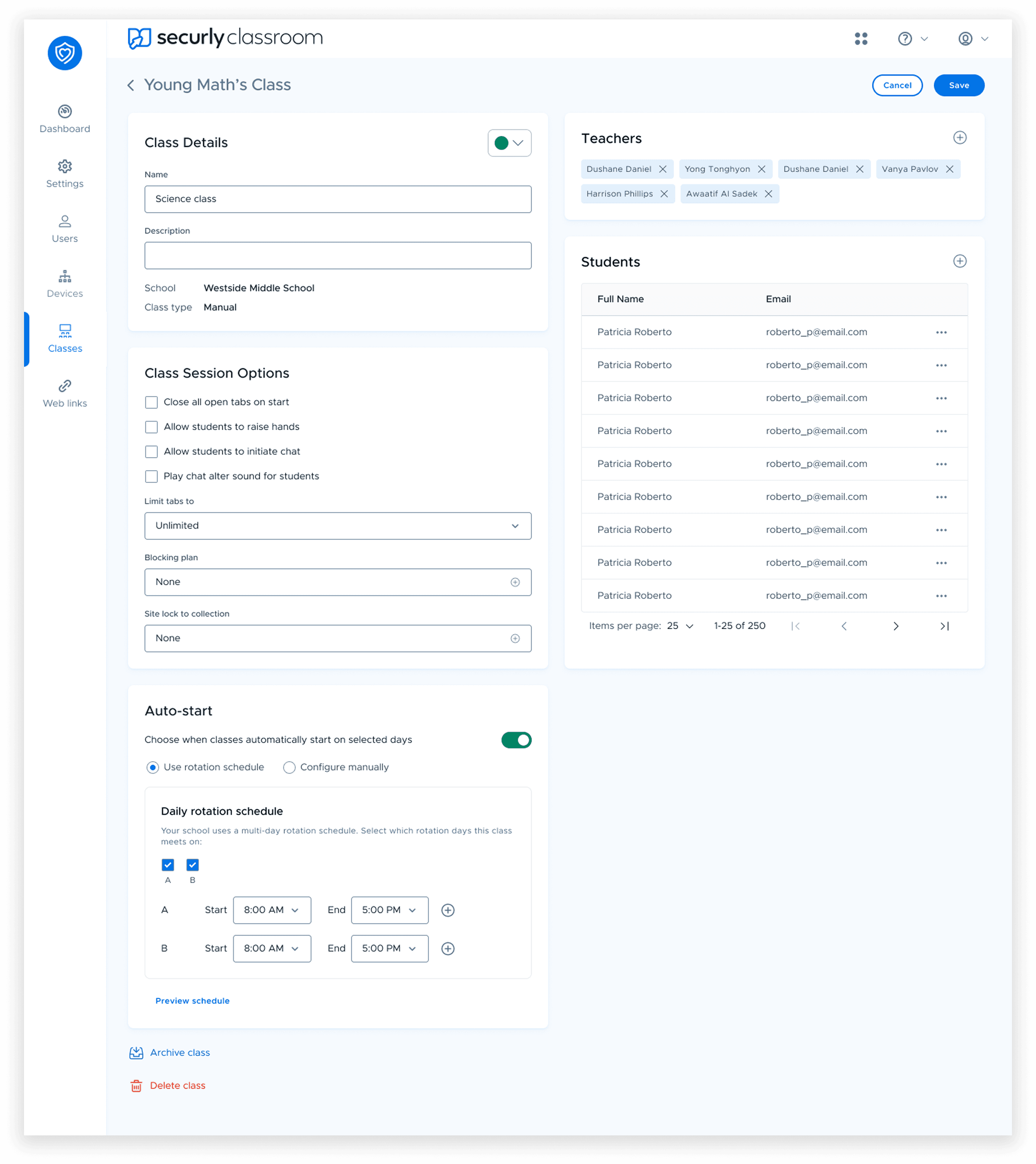
DAILY ROTATION
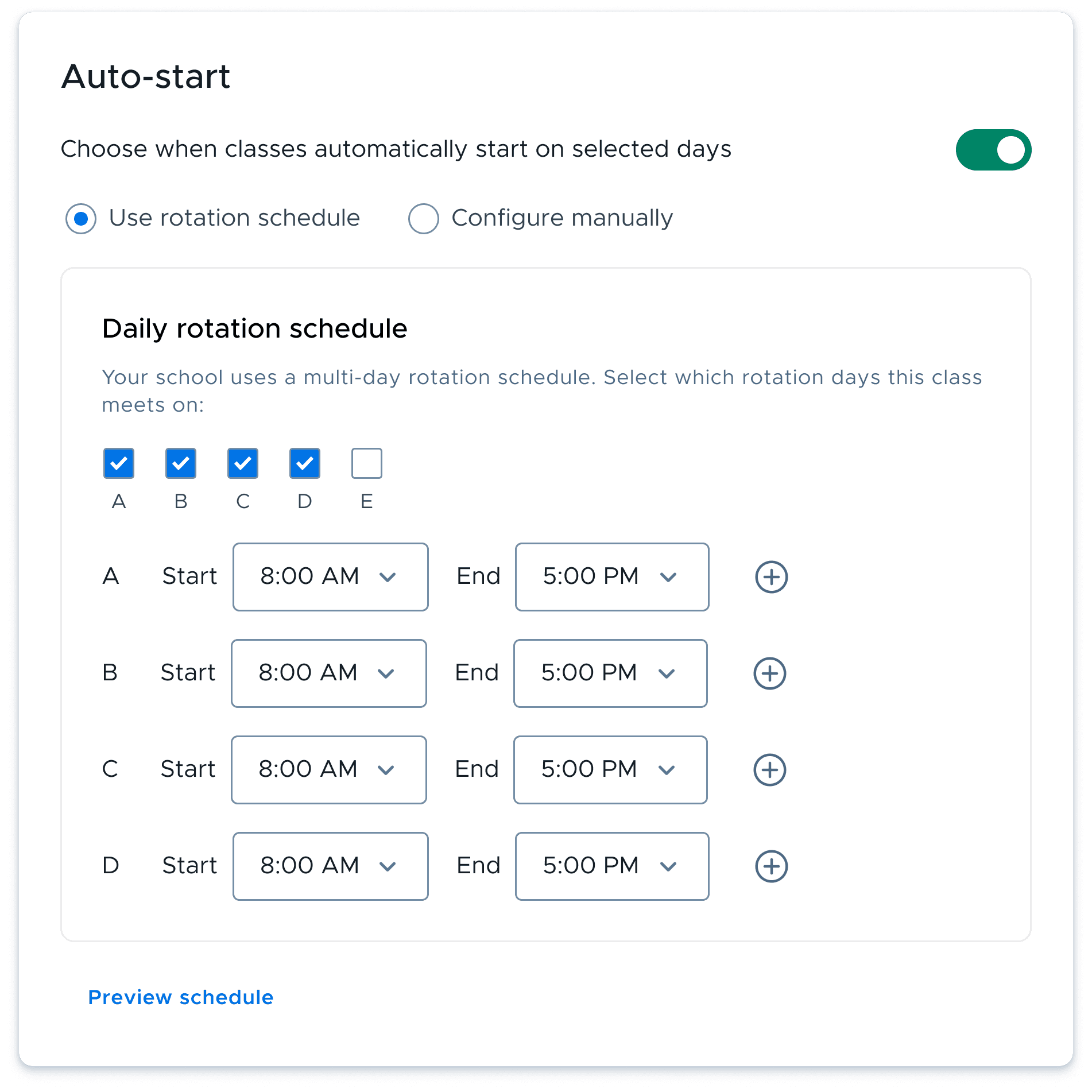
WEEKLY ROTATION
FIXED DAY ROTATION
IMPACT & REFLECTION
Impact
BEFORE
AFTER
Reflection
The biggest lesson from this project was recognizing that the requested feature wasn't the actual problem.
By reframing the challenge as a systems design problem, the solution evolved from a simple A/B scheduling feature into a scalable scheduling framework capable of supporting future scheduling models.