Challenge
“How might we create a way for teachers to auto-schedule their class ?”
I was provided the following needs and constraints:
A way to let teachers auto-schedule their class easy and intuitively
Must be intuitive and easy to configure
Schedule configuration must be able to scale and support future schedule type
Constraint
During the initial days of understanding the requirement we had only few customers demand to have a flexible schedule for their districts, with those limited examples of their schedules we created the initial concepts.
This caused us to evolve the feature with that as a base and focused on improving the workflows with secondary research on different district/schools schedule types. For me, this meant making multiple prototypes and test them to keep the project moving to aim for a faster project completion.
Research
UXR
With the multiple customers problem statements i did a thorough analysis to understand each scheduling motivation and blockers that exist during the schedule configuration and automating experience.
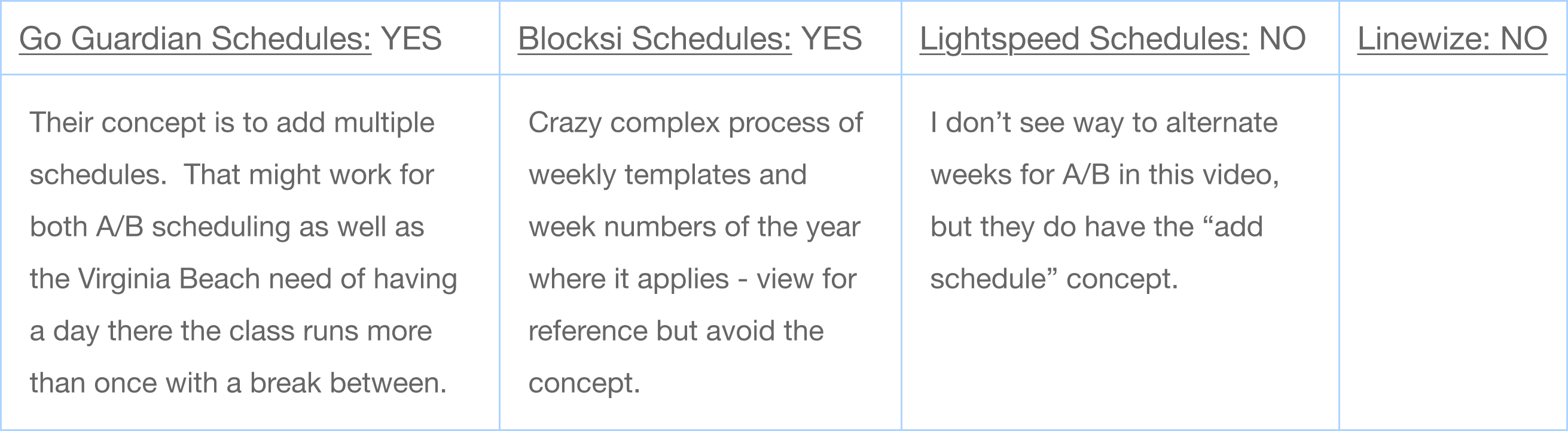
Competitor schedulers (A/B daily and weekly schedules available?)
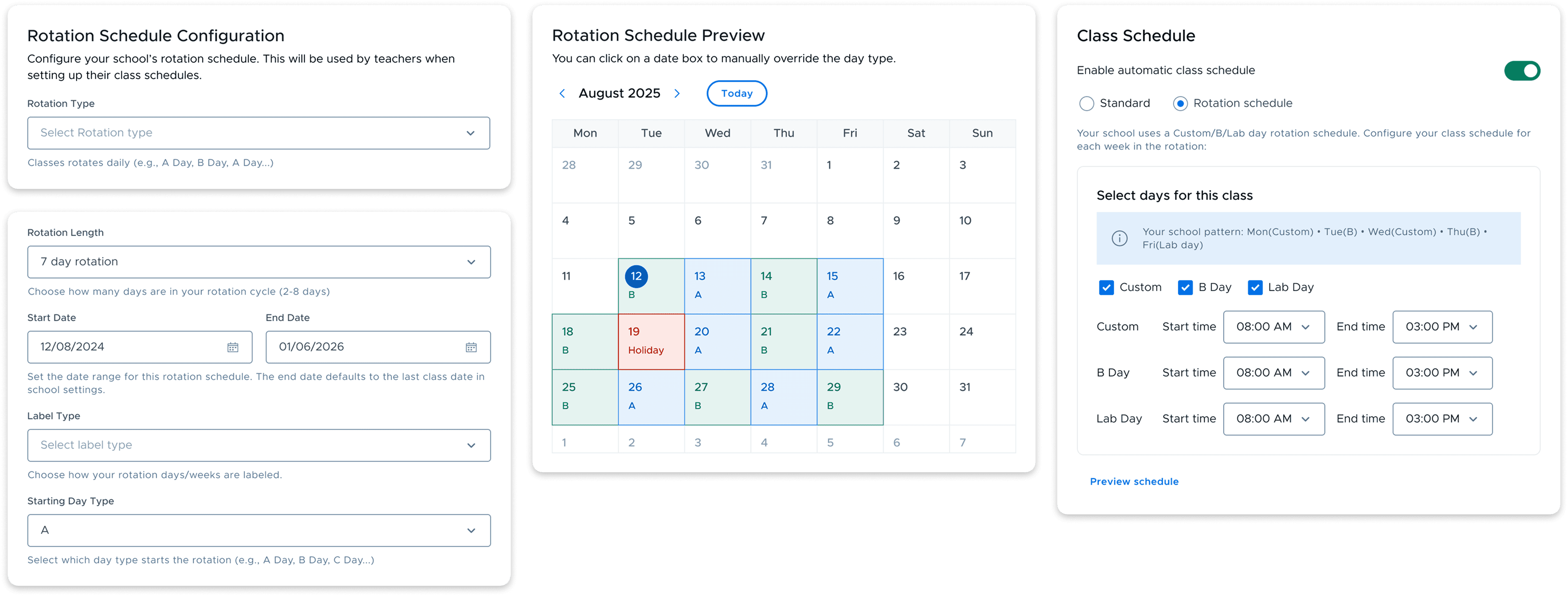
Through multiple reviews and design phases the design requirement grew from just A/B daily weekly rotation schedule to more flexible scheduler with all possible Rotation type (Daily, weekly, Fixed day), Bell schedule, Bell + Rotation. Further adding unique feature within workflows.
Key user stories
As an admin, I want to configure more flexible class scheduling - rotation, bell schedule, rotation + bell.
As an admin, I want to set my school schedule manually for all teachers to use the schedule.
As a Teacher, I want a way to auto schedule my class within the school schedule.
Iterations
Automatic start class schedule
Class Schedule was conceptualized as a teacher tool to Automate schedules of class that can do a variety of automation with day and time selection. With this being the case, I first designed the card to adapt other schedules type - A/B daily/weekly rotation and fixed day scheduling. This first iteration featured option to switch between schedule types then next configuring the days and times for the class.
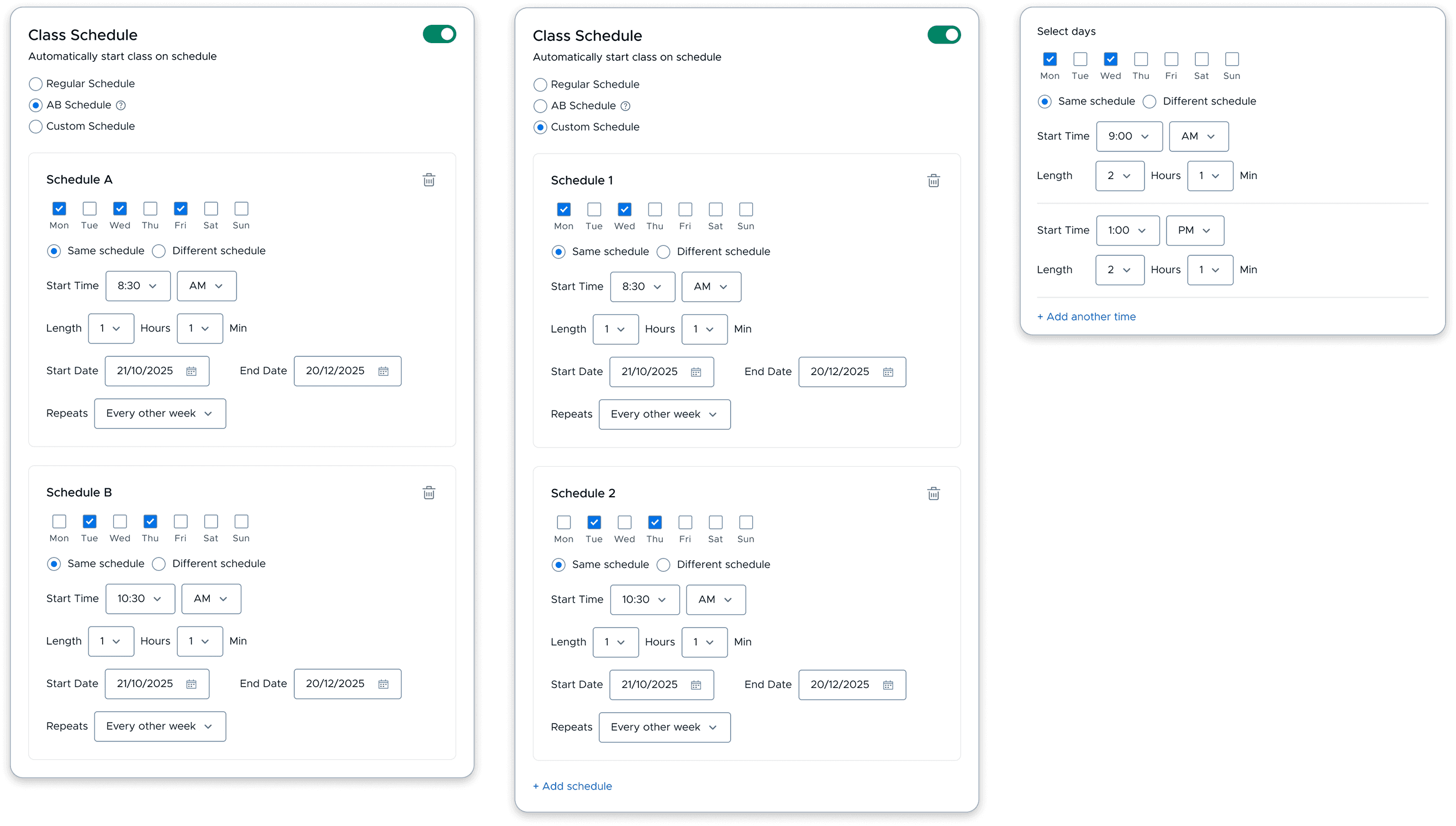
Early Feedback
Feedback from the early review indicated that we wanted to explore and understand other schedules type to provide a complete scheduling configuration which can be simple and faster to adapt by teachers. we needed to think of a solution where admin would configure the schedule and teacher could fill in their classes on to that schedule. This led us to rethink what the workflow of the admin and teacher should be and explored options to include all schedule types configuration and once set by admin how teachers will use it for scheduling their classes.
Key Features
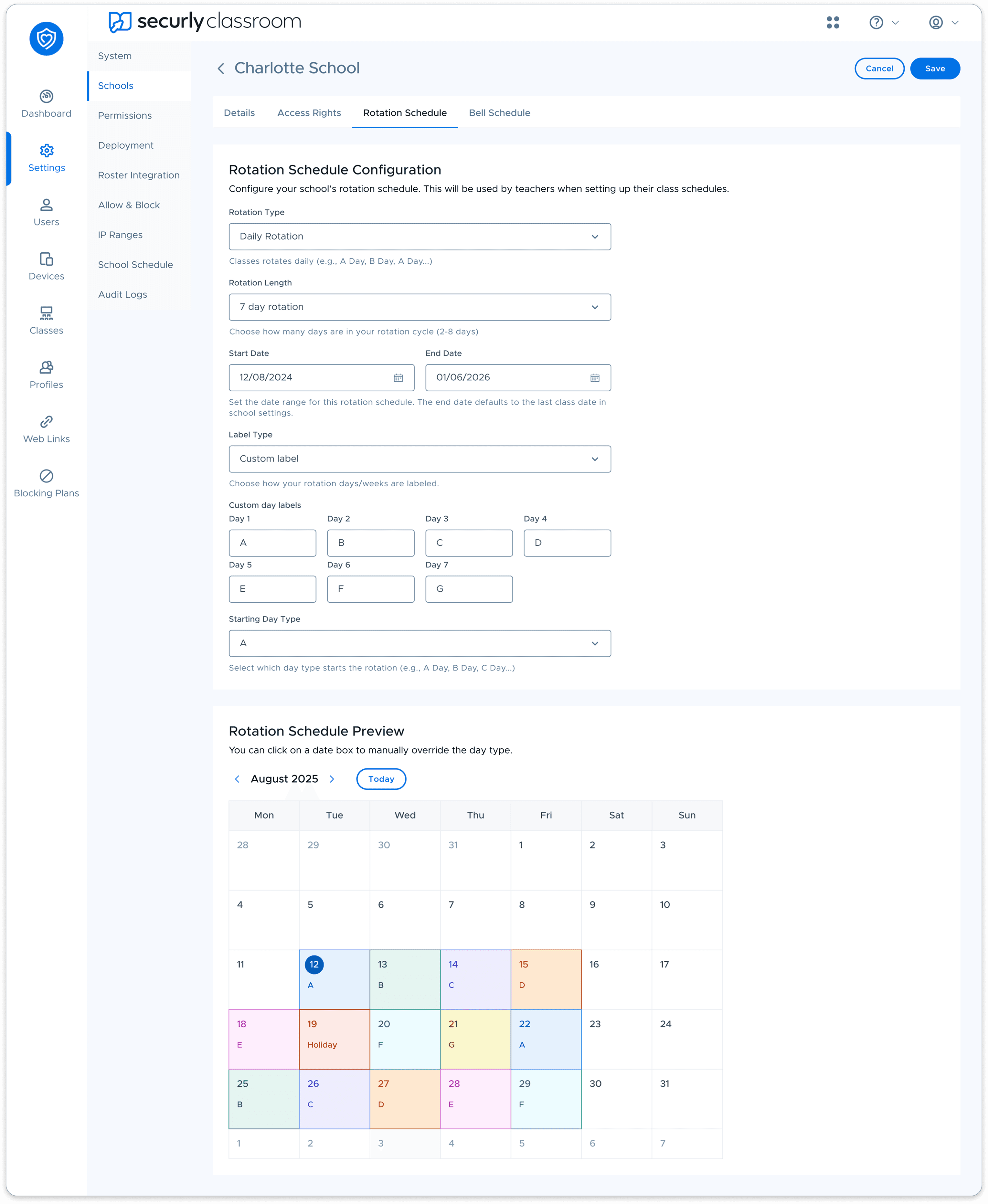
Rotation schedule configuration ( Admin POV )
We decided to have a dedicated configuration for rotation schedules, it will be configured by admins based on the schedules followed by the schools. The configured schedule will be used by teachers when setting up their class schedules by.
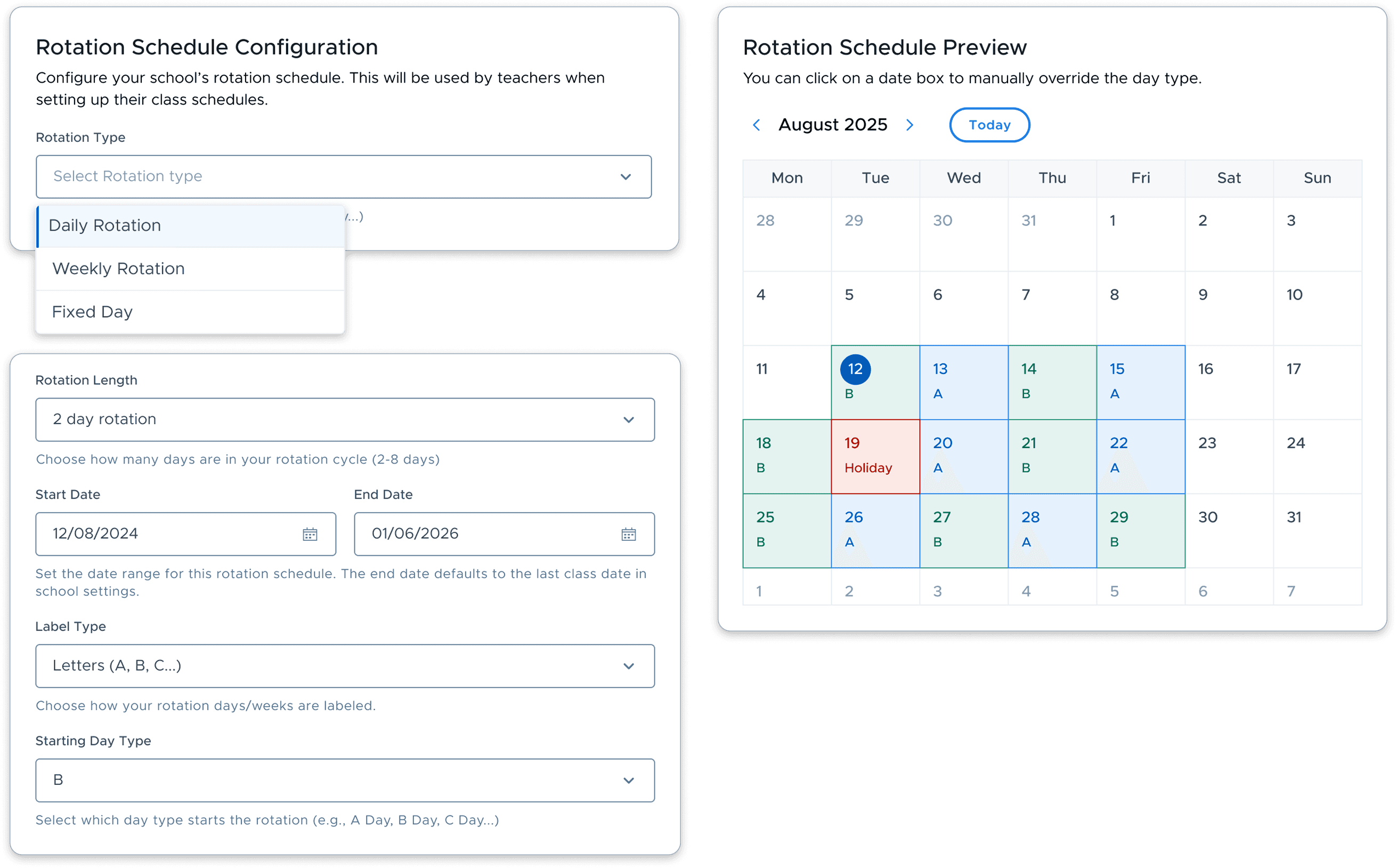
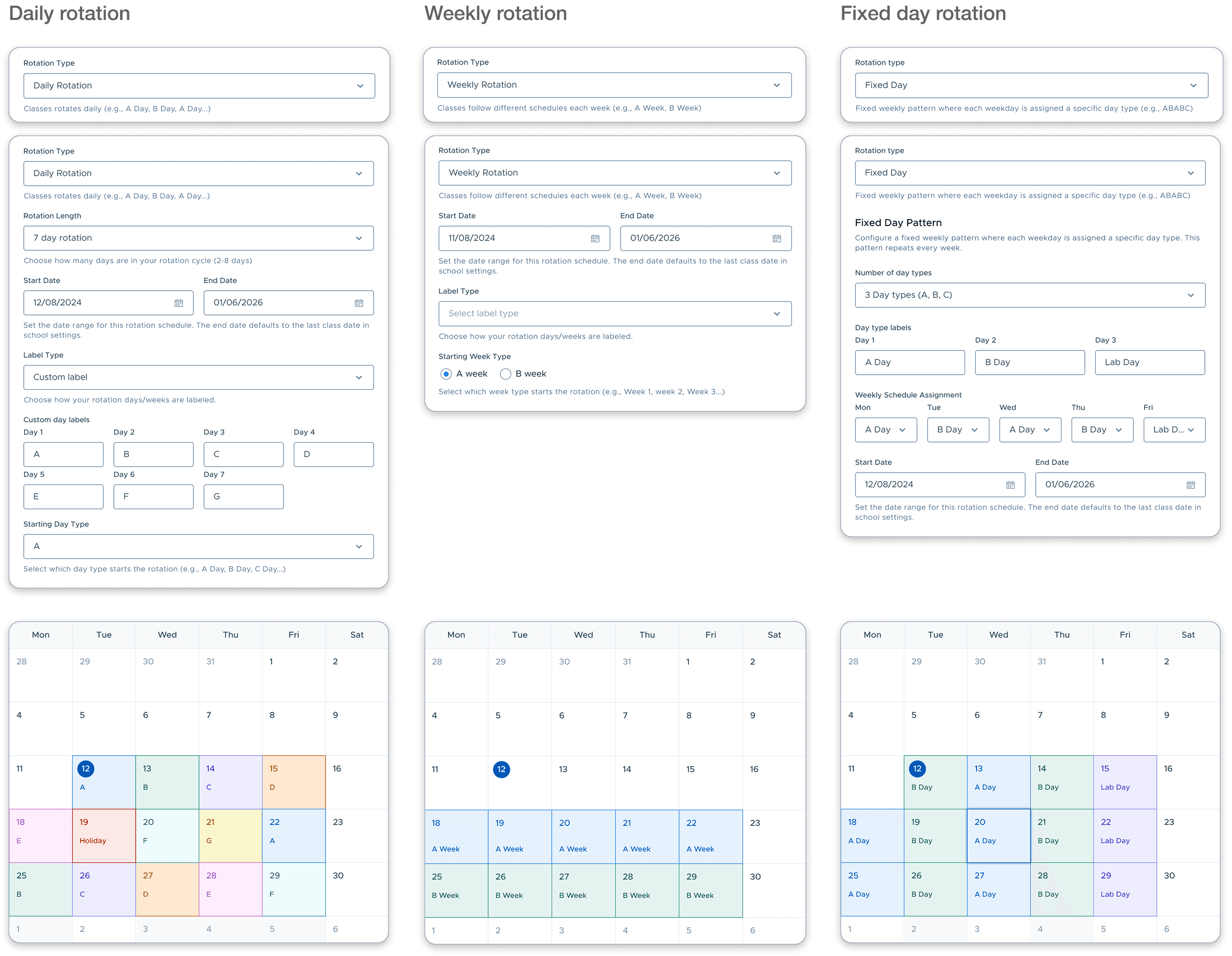
Daily, Weekly and Fixed ( Admin POV )
Most of the schools followed one of these schedules and gave schools the flexibility to configure all kinds of rotation schedules. We also considered the edge cases of the schedules e.g. school would stop running for a day, has a special day, skipping holidays, or editing the custom days.
Setting up a class schedule ( Teacher POV )
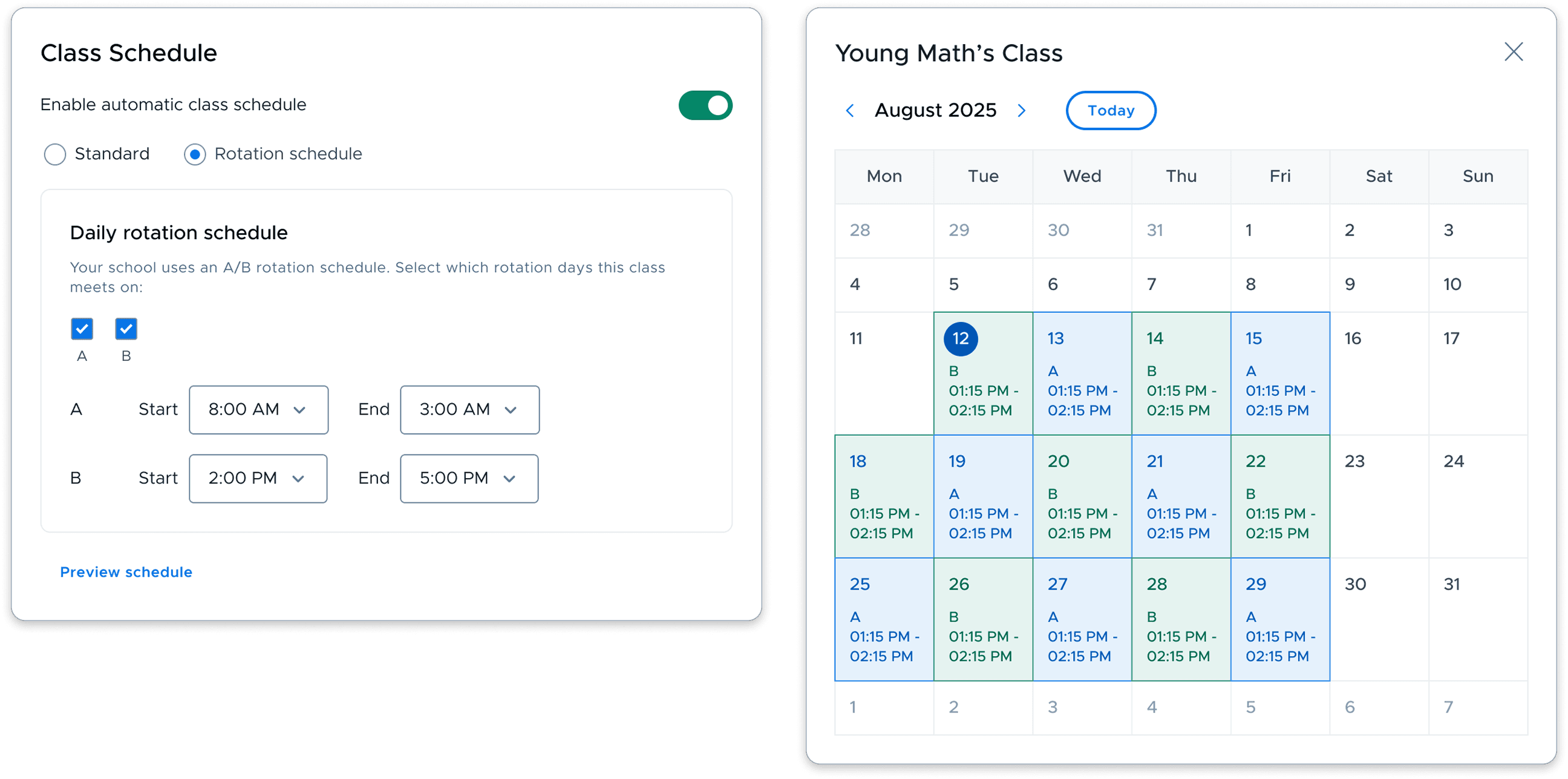
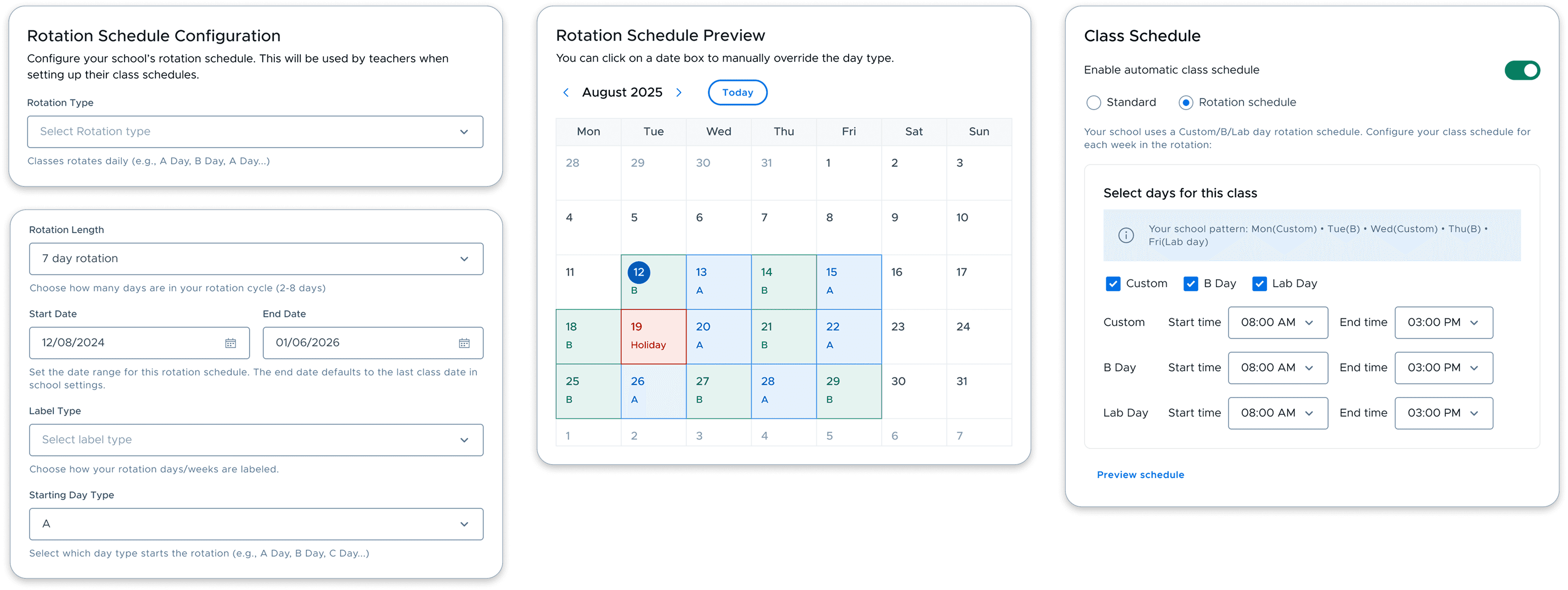
To ensure ease to schedule a class for teacher we detached school schedule and class schedule workflows. The result was teacher didn’t have to worry about the entire schedule and only focus on their class schedule. e.g my class falls on A days, A week, or on this custom day(Lab day as listed on the schedule).
Daily
Final Deliverable
After many rounds of iterations and reviews, our team created a Flexible class scheduling configuration, with two workflows - district admin configuring the district/school schedules, Teachers consuming the schedule configured by the district admin.
Takeaway & Reflection
Led the project from end-to-end and handed-off the design prototypes.
I learned a list of things from this design problem:
make the purpose clear from the product manager before starting out to design
always explaining the context first and concisely before getting into design workflows
sticking close with data driven decisions